Appointment Scheduling Platforms
A scheduling platform coordinates appointments, automations, integrations, and team collaboration across your entire business.
Platform vs. app: what’s the difference?
App (single-purpose):
- Calendar syncing and a booking interface
- Reminders
- Maybe payments
- Limited integrations
Examples: Calendly, Doodle
Platform (full ecosystem):
- Calendar syncing, booking, CRM, and payments
- Automations (Zapier, webhooks)
- Integrations (1,500+ apps)
- Team management and reporting
- Customization (white-labeling, custom fields)
- API access
Examples: FrontDeskChat, HubSpot, Scoro, Mindbody
Platforms scale better for growing businesses. Apps are simpler for solopreneurs.
General-purpose scheduling platforms:
FrontDeskChat (Best all-in-one platform)
Core platform features:
- Calendar sync (Gmail, Outlook, Office 365, iCloud)
- Appointment booking + group booking
- Payment processing (Stripe, PayPal, Square)
- CRM (client history, no-shows, preferences)
- Automations (reminders, task creation, workflows)
- Integrations (Zapier 1500+ apps, Slack, Google Sheets)
- Team management (unlimited users)
- Reporting (analytics, revenue, no-show patterns)
- White-labeling (custom domain, branding)
- Video integration (Zoom, Google Meet, GoToMeeting)
When to use: SMBs, service businesses, growing teams
Cost: Free (unlimited) or $8+/month
Best for: All-in-one platform that scales with you
Scoro (Platform for agencies + project teams)
Platform features:
- Calendar sync (Google, Outlook, iCal)
- Appointment scheduling + project management
- Team collaboration (shared workspaces)
- Automation (workflows, task creation)
- Reporting (dashboards, analytics)
- Integrations (Zapier, native integrations)
- Budget + expense tracking
- Resource allocation (prevents overload)
- Client portal (share progress)
When to use: Agencies, project-based teams, complex workflows
Cost: $26+/month
Best for: Teams wanting scheduling + project management
vCita (Platform for SMBs + freelancers)
Platform features:
- Calendar sync
- Client intake forms
- Appointment booking
- Payment processing
- CRM (client history, notes)
- Invoicing (auto-generate after meeting)
- Reminders (email + SMS)
- Integrations (Zapier, email integration)
- Team members (up to 5 on basic)
- Reporting (revenue, client trends)
When to use: SMBs, freelancers, consultants
Cost: $19+/month
Best for: Scheduling + invoicing combo
Basecamp (Platform for team collaboration)
Platform features:
- Shared calendar (team availability)
- Message loops (async communication)
- To-do lists (create from meetings)
- File sharing (docs, contracts)
- Check-ins (status updates)
- Time tracking (optional)
- Client access (limited sharing)
When to use: Remote teams, distributed companies
Cost: $99/month flat (unlimited users, projects)
Best for: Team collaboration + async work
Teamleader (Platform for European SMBs)
Platform features:
- Calendar sync (Google, Office 365)
- Appointment scheduling
- Invoicing (auto-generate after appointment)
- Project management (light)
- CRM (client contact, history)
- Time tracking
- Automation (email reminders, workflows)
- Integrations (Zapier, payment gateways)
- Team management
When to use: European SMBs with billing needs
Cost: €25+/month
Best for: Scheduling + invoicing for European teams
Healthcare/wellness platforms:
Mindbody (Industry standard for fitness + wellness)
Platform features:
- Class scheduling (recurring + one-off)
- Staff scheduling (assignment, skills)
- Client management (intake forms, history)
- Payments (memberships, classes, services)
- Inventory management (products, packages)
- Email + SMS marketing
- Staff app (check schedule)
- Client app (book classes, pay)
- Reporting (revenue by staff, class utilization)
- Integrations (payment gateways, email)
When to use: Gyms, studios, yoga, pilates, spas, salons
Cost: ~$150+/month (varies by location)
Best for: Fitness + wellness businesses
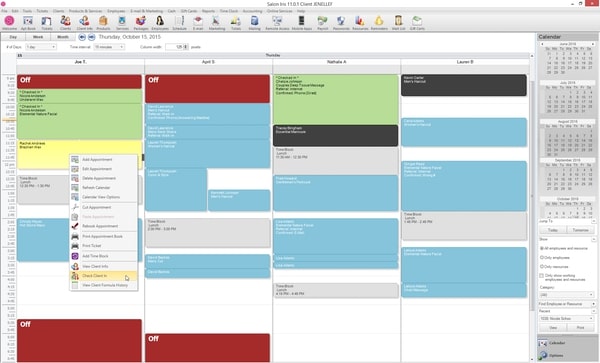
Salon Iris (Platform for beauty + wellness)
Platform features:
- Multi-staff + multi-location scheduling
- Service-based booking (auto duration, pricing)
- Staff commission tracking (revenue by stylist)
- Product inventory (stock alerts)
- Client records (service history, preferences)
- Payment processing
- Loyalty programs
- Reporting (revenue, staff performance)
- SMS/email marketing
- Staff app
When to use: Salons, barbershops, spas
Cost: Varies by location/features
Best for: Beauty salons specifically
Gettimely (Modern wellness platform)
Platform features:
- Booking + calendar (Google, Outlook sync)
- Multi-location + multi-staff
- Service-based pricing
- Payment processing (Stripe, Square, PayPal)
- Client intake forms
- SMS + email reminders
- Marketing (campaigns, promotions)
- Reporting (analytics, revenue)
- Integrations (payment gateways, email)
- Mobile app (staff + clients)
When to use: Salons, spas, wellness, fitness
Cost: $49+/month
Best for: Modern UI + wellness focus
Book4Time (Spa-specific platform)
Platform features:
- Multi-location + multi-therapist scheduling
- Booking + resource management (rooms, equipment)
- Service management (duration, pricing, packages)
- Payment + invoicing
- Client records + preferences
- Loyalty + gift cards
- Email + SMS (automated)
- Inventory (products, stock alerts)
- Reporting (revenue, therapist performance)
- Integrations (payment processors)
When to use: Spas, massage therapy, wellness
Cost: Starts ~$99/month
Best for: Spa operations specifically
Project management platforms with scheduling:
Wrike (Construction + complex projects)
Platform features:
- Gantt charts (timeline visualization)
- Calendar (scheduling, dependencies)
- Resource management (allocate by availability)
- Time tracking (hours per task)
- Budget tracking (costs, variances)
- Team collaboration (comments, attachments)
- Client portal (progress sharing)
- Reporting (dashboards, analytics)
- Automation (workflows, notifications)
- Integrations (Slack, Microsoft 365, etc.)
When to use: Construction, engineering, large projects
Cost: $98+/month
Best for: Complex project scheduling
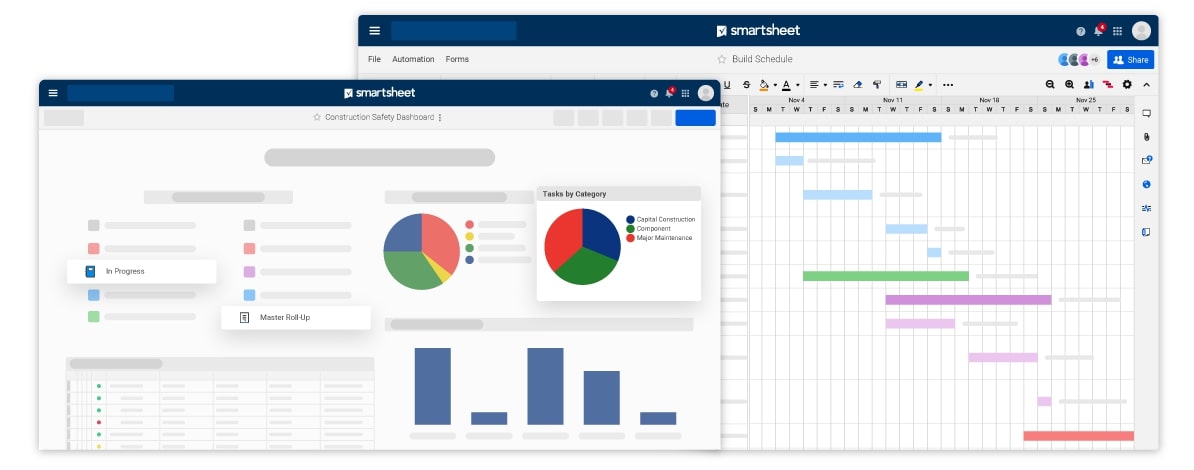
Smartsheet (Enterprise project management)
Platform features:
- Spreadsheet-like interface (familiar)
- Gantt charts (timeline)
- Resource planning (capacity)
- Budget tracking (real-time)
- Reporting (dashboards, KPIs)
- Automation (conditional actions)
- Integrations (Zapier, native APIs)
- Form building (data collection)
- Workflow management
When to use: Large enterprises, complex projects
Cost: $55+/month (per user)
Best for: Enterprise portfolio management
Choosing the right platform:
By business type:
| Business | Recommended | Reason |
|---|---|---|
| Solo service | Calendly or Acuity | Simplest, affordable |
| Small team | FrontDeskChat | All-in-one, scales |
| Salon/spa | SimplyBook.me or Salon Iris | Industry-specific |
| Fitness/gym | Mindbody or Gettimely | Class management |
| Agency | Scoro | Scheduling + project mgmt |
| Sales team | HubSpot | CRM-integrated |
| Remote team | Basecamp | Collaboration focus |
| Construction | Wrike | Project management |
| Non-profit | FrontDeskChat (free) | Affordable |
| Enterprise | HubSpot or Zoho | Scale + features |
Platform evaluation checklist:
Before committing:
- Pricing matches budget
- Features cover must-haves (your 3 top priorities)
- Calendar syncing works with your calendars
- Integration with CRM (if needed)
- Team members supported (current + future growth)
- Payment methods supported (Stripe, PayPal, Square, etc.)
- Reminders working (email + SMS)
- Mobile experience solid
- Reporting shows useful metrics
- Support available (live chat, email, phone)
- SOC2 or equivalent security certification
- Data location (where stored?)
- Ease of onboarding (docs, tutorials)
- Ease of migration (can export data?)
Score each: Yes (2 points), Partial (1 point), No (0 points)
Total 28 points possible. Need minimum 22 to proceed.
Implementation roadmap for platform adoption:
Week 1: Setup
- Connect calendar
- Configure availability
- Customize booking page
- Add team members
Week 2: Launch
- Share booking link
- Test with 3 real bookings
- Get feedback from team
- Make adjustments
Week 3: Optimization
- Enable advanced features (payments, reminders)
- Set up integrations (if needed)
- Train team on features
- Monitor no-show patterns
Week 4: Review
- Analyze booking trends
- Check adoption rate
- Identify bottlenecks
- Plan next phase
Common platform mistakes:
- Choosing too powerful (team overwhelmed)
- Not testing before buying (wrong features)
- Not training team (low adoption)
- Not integrating with existing tools (silos)
- Ignoring data migration (old data lost)
- Not planning for growth (outgrow tool quickly)
- Skipping security review (compliance issues)
Platform migration tips (switching from old tool):
Phase 1: Setup new platform (Week 1)
- Configure all settings
- Sync calendars
- Set up payments
- Create test bookings
Phase 2: Parallel run (Week 2-3)
- Old system + new system running together
- Route new clients to new system
- Keep existing clients on old system (don’t disrupt)
Phase 3: Migration (Week 4)
- Export data from old system
- Import to new system
- Update website/email with new link
- Monitor for issues
Phase 4: Shutdown (Week 5+)
- Keep old system as read-only backup (30 days)
- Answer questions from clients about new system
- Delete old system only after no issues
ROI from a good scheduling platform:
Before (manual scheduling):
- Admin time: 10 hours/week
- No-show rate: 15%
- Revenue loss (no-shows): $1,500/week
- Total cost: $1,500/week + admin time
After (FrontDeskChat platform):
- Admin time: 2 hours/week (saved 8 hours)
- No-show rate: 4% (reduced by 11%)
- Revenue loss (no-shows): $400/week (saved $1,100)
- Total benefit: $1,100/week + 8 hours labor saved
Monthly ROI: ~$4,400 saved vs. $8/month cost = 550x ROI