Mini Guide to a Scheduling App
The primary use of an appointment booking app is to make your availability visible to your customers to enable self-scheduling. However, the booking apps are not limited to just scheduling, it uses intuitive dashboards to present booking analytics, stores client information, integrates CRM and automates staff scheduling among its many applications. Most appointment booking apps are easy to use and navigate through and for cases you might need guidance, a 24 hour support system covers that. To begin with a scheduling app such as FrontDeskChat all you need to do is sign up here with a Google account.
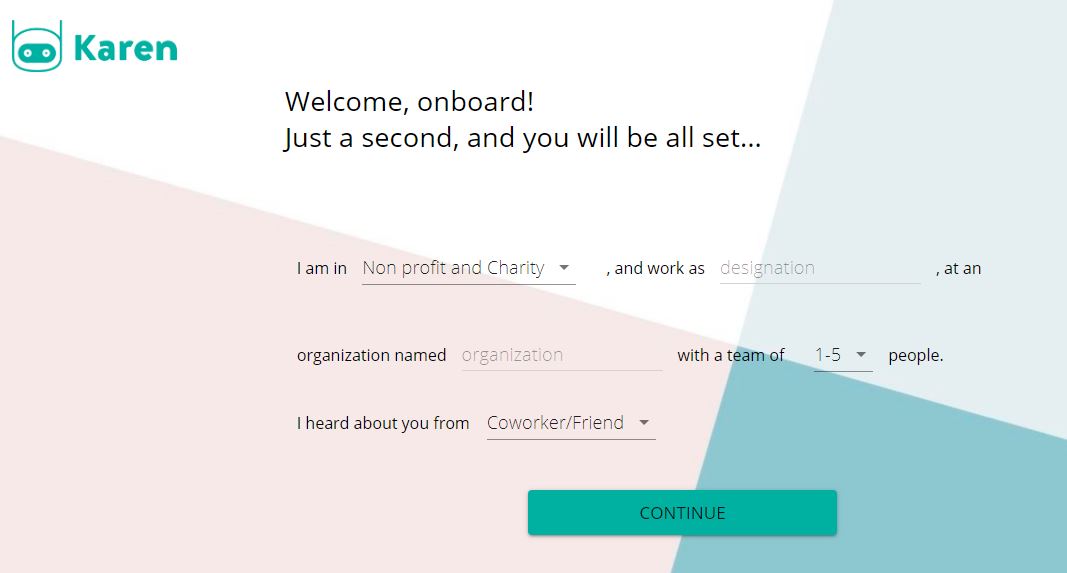
- grant FrontDeskChat permission to use your Google Calendar
- fill in the small details and click on continue
- make sure your calendar is up to date
And voila! You are all set to create a poll or an event as you like, share your availability, block out days, and much more. learn about how to use the FrontDeskChat here and start you 14 days free trial to avail all the benefits of this intelligent booking system.
You can also integrate FrontDeskChat in your website by embedding a widget or creating a separate URL by using command lines. Learn more about website integration here
Furthermore, with FrontDeskChat you can link your zoom account for automatic meeting scheduling with appointment bookings and accept payments through secure transaction portals such as UPI, Stripe and PayPal. You can also connect your Zapier account to your FrontDeskChat account. See more details on integrations here
Get started free