Post-COVID Wellness Center Booking: Touchless Appointments
The COVID pandemic forced wellness centers to rethink how they operate. Many of those changes stuck permanently. Contactless check-in, digital waivers, capacity management, and hybrid appointment options are now standard practice across the industry, and clients expect them.
Here’s how to implement them well.
Modern wellness center challenges:
- Contactless operations (payment, check-in, documentation)
- Hybrid appointment options (some clients prefer remote, some in-person)
- Capacity management (preventing crowded waiting areas)
- Health screening (screening clients for symptoms before a visit)
- Liability protection (waivers, health declarations)
- Revenue diversification (remote services expand the client base beyond local geography)
Post-COVID appointment workflow:
Step 1: Client books
- Website shows appointment types: in-person or remote
- “60-min massage (in-person)” or “60-min yoga (remote via Zoom)”
- Client selects and chooses a time
Step 2: Health screening
- Booking form includes: “Any flu or respiratory symptoms? Fever?”
- Client answers the digital form
- High-risk answers can trigger a flag for staff review
Step 3: Digital waiver acceptance
- Client signs a liability waiver digitally before completing the booking
- Example: “I acknowledge risks of in-person wellness services…”
- Stored with the appointment record
Step 4: Confirmation
- Email and SMS confirmation
- For in-person: safety instructions (arrive on time, not early)
- For remote: Zoom link included automatically
Step 5: Contactless check-in
- Option A: Web-based (client checks in on phone 15 min before)
- Option B: SMS (client texts “HERE” on arrival)
- No paper forms, no physical sign-in sheet
Step 6: Contactless payment
- Pre-payment at booking (card on file)
- QR code payment option (client scans, pays on phone)
- No cash handling
Step 7: Service delivery
- In-person: enhanced cleaning between clients, staggered arrivals
- Remote: client joins Zoom from home
- Practitioner maintains safety protocols
Step 8: Post-visit
- SMS or email feedback survey
- Easy rescheduling via SMS or link
Key features for post-COVID wellness apps:
Health screening questions At booking, ask about recent symptoms. The system can auto-flag responses for staff review. Documents health status for liability.
Digital waivers Electronic signature on a liability form. Stored in the system for 3+ years. Clients must accept to complete booking.
Hybrid appointment types Same service listed as in-person and remote. Client chooses at booking. Staff workflow supports both.
Video conferencing integration Auto-generates Zoom or Google Meet link for remote bookings. Client receives link in confirmation. No manual link sharing needed.
Contactless check-in Web form on phone or SMS confirmation. Eliminates paper and physical contact with staff.
Capacity management Set a maximum per hour per service type. System prevents overbooking. Stagger start times to spread arrivals.
Contactless payment Credit card on file for pre-payment. QR code for day-of payment. SMS-based payment links.
Appointment staggering Schedule arrivals at :00, :15, :30, :45. Prevents everyone arriving at once. Reduces crowding in waiting area.
Cleaning protocol blocks Block 15 minutes between sessions for cleaning. System notes it as non-bookable time. Documents your safety measures.
Top apps for post-COVID wellness:
FrontDeskChat (Best affordable option)
- Online booking with SMS reminders
- Contactless payments via Stripe
- Custom health screening questions in booking form
- SMS check-in support
- Cost: Free to $8-18+/month
- Limitation: No built-in video conferencing (add Zoom link manually to confirmations)
- Best for: Small wellness centers and budget-conscious operations
Mindbody (Best comprehensive)
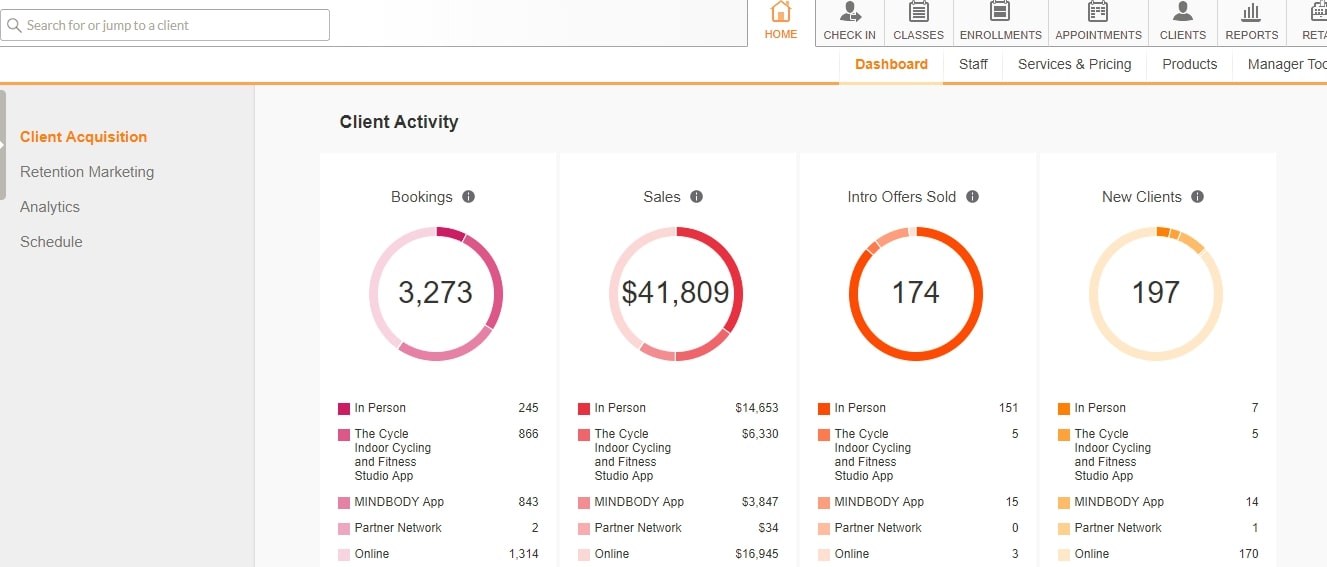
- Online booking, payments, and video conferencing
- Health screening questions built in
- Waiver management with stored digital signatures
- Hybrid appointments (in-person and remote)
- Multi-location support
- Cost: $99+/month (Starter); $259+/month for advanced features
- Best for: Established wellness centers with multiple staff or locations
Gettimely (Best middle ground)
- Online booking with health screening
- Good integrations: QuickBooks, Xero, Zoom
- Flexible pricing
- Cost: $11+/month (Starter); $20+/month (Premium)
- Best for: Growing wellness centers needing a good balance of features and cost
Vagaro (Best for class-based wellness)
- Online booking and class scheduling
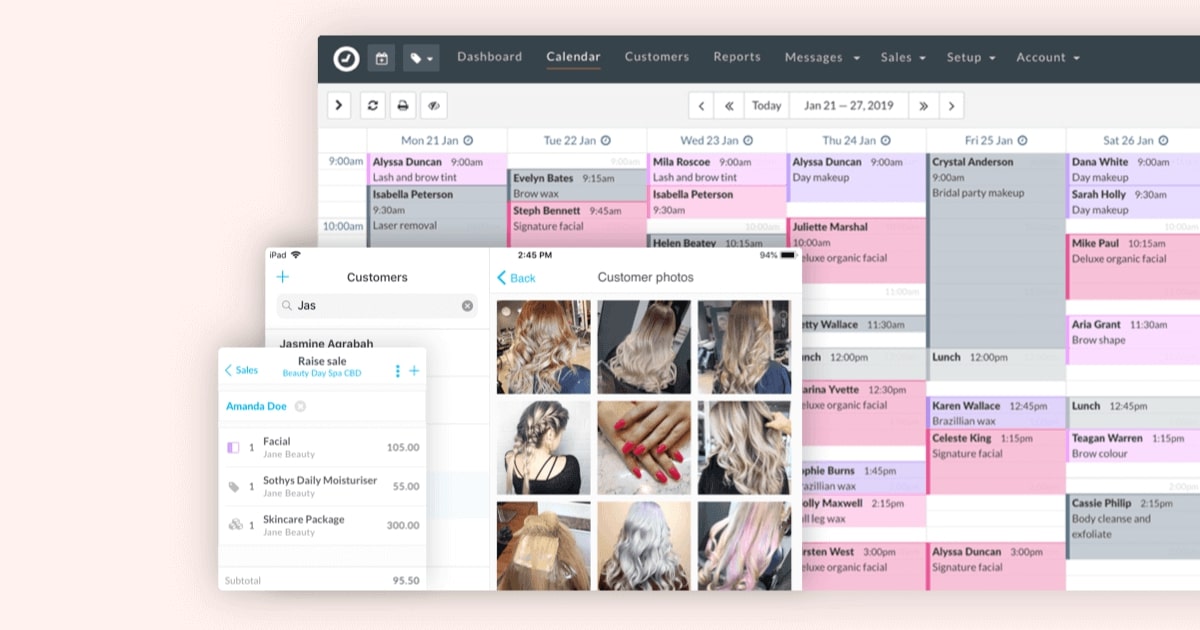
- Client CRM and photo gallery
- Cost: $40+/month
- Best for: Yoga studios, pilates centers, and class-based businesses
Zoom + Google Calendar + FrontDeskChat (Best budget combination)
- Google Calendar for scheduling
- FrontDeskChat for client-facing booking and reminders
- Zoom for remote sessions (link added manually)
- Cost: Free + $8/month
- Best for: Very small operations with simple needs and minimal budget
Implementation guide: Post-COVID wellness booking
Phase 1: Choose a platform (2-4 hours) Trial Mindbody, Gettimely, and FrontDeskChat. Evaluate health screening support, waiver capability, and video conferencing integration.
Phase 2: Set up appointment types (1-2 hours)
- In-person appointments (e.g., “60-min massage at our studio”)
- Remote appointments (e.g., “60-min yoga via Zoom”)
- Each with its own location instructions and confirmation text
Phase 3: Create health screening questions (1 hour)
- “Any symptoms of illness in the past 7 days?”
- “Any health conditions that may be affected by physical contact or exertion?”
- Questions asked at booking, answers stored with the appointment
Phase 4: Create digital waiver (2 hours)
- Work with a lawyer to draft a liability waiver
- Include: acknowledgment of risks, health declaration, responsibility clause
- Client must accept to complete booking
- HIPAA-compliant storage with date and time stamp
Phase 5: Set up video conferencing (30 minutes)
- Connect your Zoom or Google Meet account
- Enable auto-generated meeting links for remote bookings
- Test that links appear in confirmation emails
Phase 6: Configure contactless check-in (30 minutes)
- Choose web form or SMS check-in
- Set timing: prompt client 15 minutes before appointment
- Create a simple confirmation form
Phase 7: Set up contactless payments (30 minutes)
- Connect Stripe or Square
- Enable pre-payment at booking
- Or set up QR code for day-of payment option
Phase 8: Configure reminders (30 minutes)
- Email 24h before
- SMS 1h before
- Include check-in instructions and health guidelines in both
Phase 9: Set capacity limits (30 minutes)
- Define maximum clients per hour per service
- Block cleaning time between sessions
- Stagger arrival times to prevent crowding
Phase 10: Train staff (2 hours)
- How to review health screening answers
- How to handle a client who reports symptoms
- How to manage hybrid appointments
- How to troubleshoot Zoom issues for remote clients
Total setup time: 10-14 hours
Post-COVID wellness best practices:
Be transparent about your safety measures State clearly on your website: enhanced cleaning protocols, health screening requirements, capacity limits, and contactless check-in. This reduces client anxiety and shows you take safety seriously.
Make health screening mandatory at booking If a client reports symptoms, either decline the booking with an auto-reply or flag it for staff review. Documenting this process protects you legally.
Keep digital waivers as standard practice Even without active COVID pressure, liability waivers for hands-on wellness services are good business practice. Clients sign at booking. Store securely with the date and signature.
Offer remote sessions when your service allows Yoga, meditation, coaching, and consulting work well remotely. Massage and acupuncture are harder, but assessment conversations and follow-up check-ins can happen online. Expand your addressable client base.
Manage in-person capacity If you have 5 treatment rooms, don’t book more than 5 clients per hour. Keep waiting areas uncrowded. Stagger arrivals.
Block cleaning time between clients 15-20 minutes between sessions for enhanced cleaning is standard now. Build it into the schedule so it’s automatic, not a manual decision each day.
Manage arrival times precisely Ask clients to arrive 2 minutes before, not 10 minutes early. Crowding in the waiting area is avoidable if you communicate expectations clearly.
Use SMS over phone calls Text-based communication reduces friction and creates a written record. Clients can confirm, cancel, or reschedule via SMS without calling.
Pre-payment eliminates one more contact point When clients pay at booking, the visit becomes: arrive, check in, receive service, leave. Minimal staff contact.
Document your protocols Keep records of health screening answers, waivers signed, and cleaning schedules. If a liability question arises, documentation shows you followed a standard of care.
Health screening best practices:
Questions to include:
- “Do you have any of these symptoms? Fever, persistent cough, or body aches?”
- “Have you been exposed to someone with a contagious illness in the past 7 days?”
- “Any underlying health conditions we should know about before your session?”
What to do with “yes” answers:
- Option A: Auto-decline booking with a message to contact the office
- Option B: Flag for staff review before confirming
- Your choice depends on risk tolerance and your insurance guidance
Documentation:
- Store answers linked to the appointment
- Retain records for at least 1 year for liability purposes
- Don’t share client health information publicly
Real-world example: Yoga studio post-COVID
Studio: 6 classes per week, 20-30 students per class before COVID
Challenge: Lost in-person clients due to safety concerns. Revenue dropped significantly.
Solution:
Set up FrontDeskChat for booking, Zoom for remote classes, Google Calendar for instructor schedules, and Stripe for online payments.
New class offerings:
- In-person: 10 max per class (down from 30), better spacing
- Remote: unlimited enrollment via Zoom
- Hybrid: some students in-studio, some on Zoom simultaneously
Booking flow:
- Student sees “Monday 6 PM Flow (in-person, 10 spaces)” or “(remote via Zoom)”
- Selects option and pays $20 online
- Health screening question asked at booking
- Day before: email confirms attendance method and includes Zoom link if remote
Class day:
- In-person students check in via SMS 5 minutes before
- Remote students join Zoom from home
- Instructor leads both simultaneously
After class:
- SMS survey: “How was class? Rate us here.”
- Link to book next week’s class
Results:
- Classes filling at 10 in-person plus 15-20 remote per session
- Revenue: 25-30 paid participants per class (comparable to pre-COVID in-person numbers)
- Remote clients came from outside the local area (new market)
- Safety: in-person spaced, remote completely safe
Hybrid appointment management:
Challenge: Offer the same appointment type in-person and remotely without creating confusion.
Solution:
Create two separate listings for the same time slot:
- “Coaching (in-person)” at 2 PM
- “Coaching (remote/Zoom)” at 2 PM
Client chooses at booking. Confirmation includes the relevant instructions. Remote client gets a Zoom link. In-person client gets the address and arrival instructions.
If the practitioner can run both simultaneously (common for yoga but less practical for massage), one calendar block covers both. If not, book separately.
Example: Yoga instructor teaching a morning class
- In-person: 5 students in studio, mats spaced well apart
- Remote: 10 students on Zoom
- Instructor leads both simultaneously with a camera positioned to cover all angles
Capacity management strategies:
Time-slot limits: Max 3 massage appointments per hour (3 therapists, one client each). System blocks a 4th booking automatically.
Staggered arrivals: Start times at :00, :15, :30, :45. No one arrives at the same moment.
Waiting area limits: Max 2 people in the waiting area at once. Next client told to arrive exactly on time.
Separate in-person and remote peaks: High-demand times for in-person only. Off-peak for mixed or remote-only. Balances safety with revenue.
Common post-COVID wellness mistakes:
- No health screening: creates liability exposure
- No digital waiver: if someone claims an injury, you have no documentation
- Not limiting in-person capacity: crowded space creates real risk
- Only offering in-person: you lose clients who prefer remote and miss that revenue stream
- Phone-based communication: creates unnecessary verbal contact, leaves no written record
- Paper forms and in-person check-in: physical contact points that are easy to eliminate
- No cleaning protocol documented: can’t prove standard of care if challenged
- Cash payments: unnecessary contact, no paper trail
- Hybrid appointments with no clear instructions: clients confused about whether to come in or join Zoom
Wellness center metrics post-COVID:
| Metric | Target |
|---|---|
| Health screening completion | 100% of in-person bookings |
| Hybrid adoption | 30-40% choosing remote |
| Revenue vs. pre-COVID | 80%+ within 6 months |
| Capacity utilization | 70-80% of available slots |
| Client satisfaction | 4.5+ stars |
| No-show rate | Under 10% |
Timeline: Transitioning to post-COVID operations
Week 1-2: Choose platform. Set up health screening questions and digital waiver.
Week 3: Soft launch with some appointments available for online booking.
Week 4: Full launch. Promote hybrid options to existing clients.
Week 5-6: Monitor which clients choose remote and which choose in-person. Adjust capacity based on demand.
Week 7+: Optimize based on what you’ve learned. Some centers add more remote slots. Others expand in-person capacity as demand returns.
Legal considerations:
Health screening: Document what you ask and how clients respond. Don’t deny service based on protected health status. Instead, require additional precautions or a doctor clearance for flagged responses.
Waiver: Must be specific and clear. “By booking, you acknowledge risks and assume responsibility.” Have a lawyer review it once. Store digitally with signature and date.
Capacity limits: Base decisions on your space size and standard safety guidelines. Document your reasoning. If challenged, you need to show you followed a rational standard.
Marketing post-COVID wellness services:
Clear messaging:
- “Now offering in-person and remote sessions”
- “Safety measures: health screening, capacity limits, contactless check-in”
- “Choose the format that works for you”
Channels:
- Email: “New remote yoga classes available starting [date]”
- Social media: “Try our remote session from anywhere”
- Website: “Hybrid sessions now available”
Incentive to try remote: First remote class free or at a discount. Once clients try it, many stick with the format that fits their schedule.