Clinic Scheduling Apps for Doctors & Medical Centers
Online clinic scheduling is critical infrastructure for any medical practice. Done well, it cuts administrative overhead, reduces no-shows, and gives patients a smoother experience from first booking to post-visit follow-up.
Why clinics need appointment scheduling software:
- Reduce administrative burden (30-40% less manual scheduling)
- Decrease no-shows (40-50% reduction with reminders)
- Improve patient satisfaction (self-service booking, instant confirmation)
- Increase revenue (fewer empty slots, online payments)
- Support telemedicine (video conferencing integration)
- Manage multiple providers (team calendars, prevent double-booking)
How online clinic scheduling works:
Step 1: Patient discovers the clinic
- Patient finds the clinic website or receives a booking link
Step 2: Patient self-books
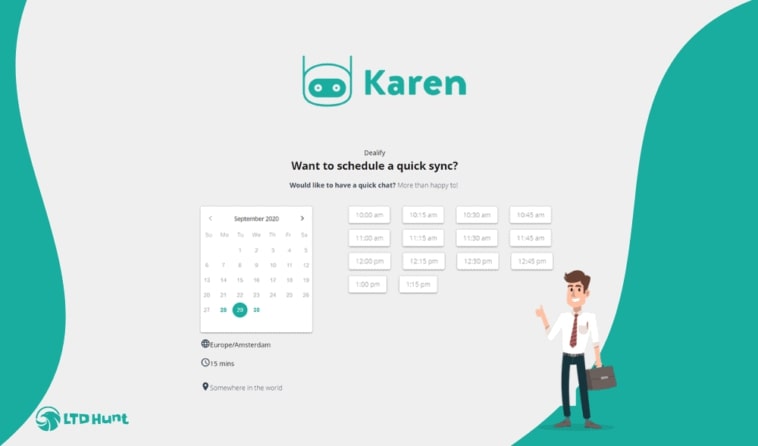
- Opens booking calendar
- Sees available times based on the doctor’s schedule
- Selects preferred time and date
- Enters patient details (name, phone, email, chief complaint)
Step 3: Appointment confirmation
- System checks availability and confirms immediately
- Patient receives confirmation via email and SMS
- Appointment auto-adds to the doctor’s calendar
Step 4: Patient reminders
- 24 hours before: email reminder with appointment details
- 1 hour before: SMS reminder (increases show rate by 40-50%)
- Patient can confirm attendance via SMS reply
Step 5: Visit preparation
- Patient fills intake forms online before arriving
- Doctor has patient history available before the visit
- Check-in can be web-based, with no paper forms needed
Step 6: Payment
- Online payment before or after the visit
- Integration with Stripe, PayPal, or Square
- Reduces billing follow-up and accounts receivable delays
Key features clinics need:
Multiple appointment types
- Initial consultation (60 min)
- Follow-up visit (30 min)
- Telemedicine (30 min, includes Zoom/Meet link)
- Procedure (90 min, may require pre-approval)
Automatic reminders
- Email 24h before (courtesy reminder)
- SMS 1h before (increases attendance 40-50%)
- Phone call option for high-value appointments
Patient intake forms
- Pre-visit questionnaire covering chief complaint, medical history, current medications
- Web-based forms reduce paper and auto-populate on return visits
- HIPAA-compliant data storage
Calendar syncing
- Doctors block personal time, vacation, and meetings
- Prevents overbooking across multiple calendars
- Multi-location support for clinic chains
Team management
- Separate availability for doctors, nurses, and specialists
- Patients choose a specific provider or “next available”
Online payments
- Payment processing via Stripe, PayPal, or Square
- Invoice and receipt generation
- Insurance verification (optional, more complex to configure)
Two-way patient communication
- SMS where patients can confirm or reschedule via text
- Email for detailed information
- Patient portal for accessing past appointments and notes
EHR/EMR integration
- Appointment data syncs to medical records
- Patient history visible during booking to prevent conflicts
- Prescription refills tied to visit records
Top clinic scheduling apps:
FrontDeskChat (Best all-in-one for small clinics)
- Appointment booking, SMS and email reminders
- Online payment processing (Stripe)
- Patient intake forms
- Calendar syncing and team access
- Zapier integration (1,500+ apps)
- Cost: Free to $8-18+/month
- Best for: Solo practitioners to small clinics (under 10 doctors)
Mindbody (Best for comprehensive health practices)
- Appointment scheduling plus billing, invoicing, and inventory
- Employee management and multi-location support
- Class scheduling (if offering group services)
- Cost: $99+/month (Starter plan); $259+/month for advanced reporting and resource management
- Best for: Group practices, wellness centers, medical spas
Zoho CRM (Best for clinics focused on patient relationships)
- Appointment scheduling with patient CRM built in
- Integration with Zoho Books (invoicing) and Zoho Desk (support tickets)
- Email marketing for patient outreach
- Cost: $20-40/month
- Best for: Clinics that want scheduling and CRM in one tool
Calendly (Best for simple solo practices)
- Calendar syncing that prevents double-booking
- Email reminders with limited SMS
- Zoom integration for telemedicine
- Cost: Free to $12+/month
- Best for: Solo practitioners and telemedicine-only clinics
Acuity Scheduling (Best for clinics with payment needs)
- Appointment booking with online payments
- Intake forms and medical questionnaires
- Email and SMS reminders
- Team access for multiple staff
- Cost: $20+/month (monthly); $16+/month (annual)
- Best for: Clinics that need payments and support multiple staff
Google Calendar + FrontDeskChat (Best budget combo)
- Google Calendar for the doctor’s internal schedule
- FrontDeskChat for patient-facing booking, reminders, and payments
- Cost: Free + $8/month
- Best for: Budget-conscious clinics getting started
Implementation guide: Setting up clinic scheduling
Step 1: Choose a scheduling app (1 hour)
- Start free trials of FrontDeskChat, Calendly, and Acuity
- Compare features against cost
- Pick one and commit
Step 2: Create appointment types (30 minutes)
- Initial consultation (60 min)
- Follow-up (30 min)
- Telemedicine (30 min)
- Set pricing if applicable
Step 3: Add clinic details (30 minutes)
- Clinic name, phone, address
- Upload logo
- Write a brief welcome message
Step 4: Build the intake form (1 hour)
- Chief complaint
- Medical history and current medications
- Allergies and insurance info (optional)
Step 5: Add staff members (15 minutes per person)
- Doctor names and specialties
- Working hours, days off, and vacation blocks
- Set calendar access permissions per role
Step 6: Configure reminders (30 minutes)
- Email 24h before
- SMS 1h before
- Customize message content
Step 7: Set up payments (30 minutes)
- Connect Stripe or PayPal
- Decide if payment happens before or after the visit
- Write and apply a cancellation policy
Step 8: Get your booking link (5 minutes)
- Generate the public booking URL
- Share on your website, email signature, and social media
Step 9: Integrate with EHR (1-2 hours, if needed)
- Connect via Zapier
- Test by booking a fake appointment and verifying it appears in your EHR
Step 10: Train staff (1 hour)
- Show doctors how to block time
- Show admin how to manage cancellations and intake forms
Total setup time: 5-7 hours
Clinic scheduling best practices:
Block realistic appointment times
- Don’t schedule back-to-back without a buffer
- Include 15 minutes between appointments for documentation
- A 30-min appointment with a 15-min buffer means a 45-min block
Set a clear cancellation policy
- Free cancellation: 24h before
- $50 fee: under 24h notice
- No-show fee applied automatically
- This makes reminders more important, not less
Use reminders as your primary no-show defense
- Email 24h before (informational)
- SMS 1h before (patients act on this one)
- Follow-up email after the visit for feedback and scheduling
Pre-populate patient data
- Intake forms gather information before the visit
- Doctor sees history, medications, and allergies before the patient walks in
- Reduces visit time by 10-15 minutes
Integrate telemedicine
- Add a Zoom or Google Meet link for virtual visits
- Link auto-generates and appears in the confirmation
- Patient receives the meeting link before the appointment
Track no-show patterns
- Monitor weekly
- If your rate is over 10%, add more reminder touchpoints
- Look for patterns: day of week, time of day, appointment type
Ensure HIPAA compliance
- Use apps that encrypt patient data
- Don’t store health information in plain email
- Use a secure patient portal, not standard SMS, for sensitive records
EHR/EMR integration options:
Option 1: Manual entry (least friction)
- Doctor reviews patient intake form before the visit
- Admin enters appointment data into EHR manually
- Takes 2-3 minutes per patient
- No code or technical setup required
Option 2: Zapier automation (mid-range)
- When appointment is created, Zapier watches for it
- Zapier creates or updates the patient record in your EHR
- Auto-populates name, phone, and appointment time
- Requires a Zapier account ($20+/month)
- Works with most EHR systems
Option 3: Native integration (most complex)
- Scheduling app and EHR have a built-in connection
- Automatic two-way sync
- Requires a healthcare-specific scheduling tool like Mindbody
Recommendation: Start with Option 1 (manual), upgrade to Zapier once you’ve confirmed which data needs to flow.
Managing scheduling across multiple doctors:
Create separate availability for each doctor
- Dr. Smith: Mon-Thurs 9 AM-5 PM
- Dr. Jones: Tues-Fri 10 AM-6 PM
- Specialist: by appointment only (limited slots)
Give patients a choice
- Preferred doctor when available
- “Next available” when their first choice is booked
Set up a team calendar view
- All doctors see each other’s schedules
- Prevents double-booking and covering conflicts
Sync calendars centrally
- All doctors’ calendars connect to the scheduling app
- Prevents anyone being accidentally booked into unavailable time
- Works across multiple locations if you run more than one clinic
Real-world example: 5-doctor clinic
Clinic: Internal medicine practice, 5 doctors, 100+ patients/day
Setup:
- FrontDeskChat for patient-facing booking
- Google Calendar for each doctor’s schedule
- Zapier connecting FrontDeskChat to the EHR
Workflow:
- Patient visits the clinic website and clicks “Book appointment”
- Selects a doctor preference or “next available”
- Chooses appointment type and fills the intake form
- Receives confirmation email and SMS reminder
- Gets email 24h before and SMS 1h before
- Confirms via SMS (optional but encouraged)
- Doctor reviews intake form before the visit
- Follow-up email sent automatically after the appointment
Results:
- No-show rate dropped from 15% to 8%
- Admin time reduced by 20%
- Patient satisfaction improved through self-service and shorter check-ins
Common mistakes clinics make:
- Requiring appointment confirmation before booking is complete (slows patients down)
- Not blocking buffer time between appointments
- Email-only reminders with no SMS (no-show rates stay high)
- Paper intake forms (data entry errors, wasted time)
- Not integrating payments (billing delays pile up)
- Running separate scheduling and calendar systems (double-booking happens)
- Not syncing with the EHR (doctor unprepared for the visit)
- Requiring patients to download an app to book
- Having no cancellation policy
- Ignoring no-show trends that reminders could fix
Clinic scheduling checklist:
Before going live, verify:
- Appointment types created (initial, follow-up, telemedicine)
- All doctors’ availability entered
- Intake form created
- Email reminders configured (24h before)
- SMS reminders configured (1h before)
- Cancellation policy set
- Payment processing set up (if applicable)
- Booking link tested with a fake appointment
- Doctor receives the intake form via email
- Reminder emails and SMS arrive as expected
- Clinic phone number and directions visible on booking page
- Privacy policy visible
- EHR integration working (if applicable)
- Staff trained on the system
Migrating from phone-based to online scheduling:
Week 1: Soft launch. Set up online booking, but let existing patients still call. Phone staff direct new inquiries to the booking link.
Week 2-3: Awareness campaign. Email existing patients with the online booking link and explain the benefits: faster booking, automatic reminders, no hold time.
Week 4: Transition. When patients call, mention the online option. Track how many switch.
Week 5+: Optimize. Monitor no-show rates, adjust reminders if needed, and gather patient feedback.
Target: 60-70% online adoption within 4 weeks.
Clinic-specific vs. general-purpose apps:
Clinic-specific (Mindbody, Acuity):
- Pros: Healthcare features, billing, compliance built in
- Cons: Higher cost, more features than some solo practices need
General-purpose (FrontDeskChat, Calendly, Zoho):
- Pros: Lower cost, simpler setup, covers 90% of needs
- Cons: May lack specialized healthcare billing or insurance features
Recommendations by clinic size:
- Solo practitioners: FrontDeskChat ($8/month)
- Small clinics (2-5 doctors): FrontDeskChat or Acuity
- Medium clinics (5-20 doctors): Mindbody ($99+/month) or Zoho CRM
- Large clinics: Mindbody with EHR integration