Meeting Scheduling Tools
Meeting scheduling tools solve the core problem: coordinating availability across five or more calendars without email chaos.
Three approaches:
- Calendar pooling (auto-sync): System shows overlapping free time across all attendees
- Voting polls: You propose slots, attendees vote
- AI suggestions: Tool recommends the optimal time automatically
Top tools overview:
FrontDeskChat (best all-in-one)
Syncs Gmail, Outlook, Office 365, and iCloud calendars. Shows overlapping free times. Includes voting polls. Auto-generates Zoom and Google Meet links. Sends SMS and email reminders. Integrates via Zapier with 1,500+ apps. Includes basic CRM and attendee history.
When to use: You want one tool for group meetings, client bookings, payments, and reminders.
Pricing: Free (unlimited bookings); paid from $8/month
Doodle (best for pure polling)
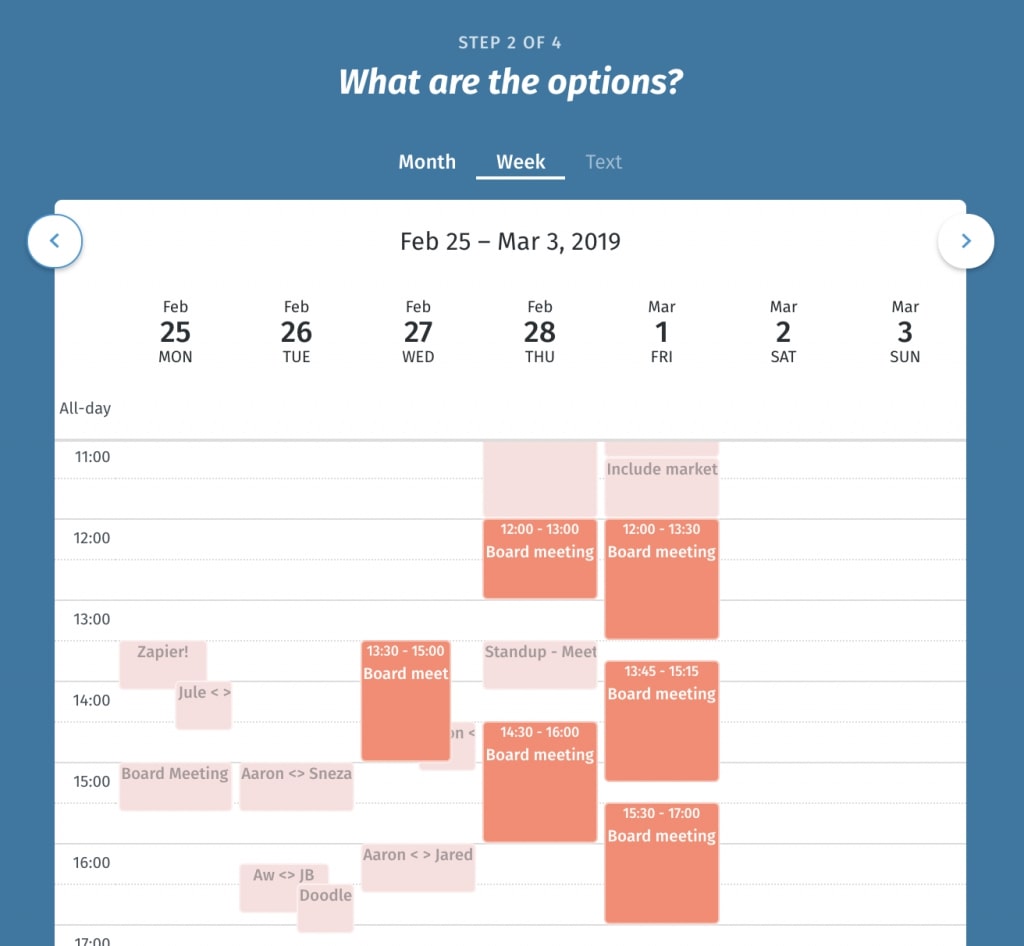
Voting polls with you proposing 3 to 5 time slots. Transparent results visible to all in real time. No login required for voters. Integrates with Slack, Teams, Google Calendar, and Outlook. Time zone auto-conversion on paid tier.
When to use: Finding consensus, large or ad-hoc groups, participants prefer not to share full calendars.
Pricing: Free tier; paid for recurring and advanced features
HubSpot (best for enterprise)
Built into HubSpot CRM. Syncs Gmail, Outlook, and Office 365. Shows attendee deal history and past interactions. Auto-logs meeting notes. Creates post-meeting tasks. Recording and transcription on paid tier.
When to use: Sales teams, CRM context needed, tracking meeting ROI.
Pricing: Free CRM; meetings on all plans
Calendly (simple, 1-on-1 focused)
Calendar sync with Google, Outlook, and Yahoo. Time zone detection. Recurring events. Clean interface. Limited group meeting support.
When to use: 1-on-1 meetings, simplicity is a priority, small teams under 10 people.
Pricing: Free tier (5 events); Premium $12/month
Vyte (best for global groups)
Voting polls with automatic time zone conversion per attendee. Calendar sync with Google, Outlook, and iCal. Video integration with Zoom and Google Meet. Cleaner interface than Doodle.
When to use: Global teams, significant time zone complexity.
Pricing: Free tier; paid for advanced features
Pick (auto-suggests best time)
Analyzes all attendees’ calendars and suggests the optimal time with minimal manual input. Updates everyone’s calendar after approval.
When to use: Busy executives, minimal manual scheduling preferred.
Limitation: Less control over proposing specific times.
Genee (email-based, now Microsoft)
Email-native scheduling. Analyzes attendees’ calendars via email. Suggests time slots in reply. Works even if attendees don’t use Genee. Compatible with Gmail, iCloud, and Office 365.
When to use: Email-first workflows, external attendees, asynchronous preference.
How to choose:
- Need CRM integration? Yes: HubSpot. No: continue.
- Global group (4 or more time zones)? Yes: Vyte or Doodle. No: continue.
- Want AI auto-suggestions? Yes: Pick or Genee. No: continue.
- Group size? Small (2 to 3): Calendly or direct message. Medium (4 to 10): FrontDeskChat or Doodle. Large (10+): HubSpot or FrontDeskChat.
- Primary pain point? Email chaos from polling: Doodle. Need calendar sync: FrontDeskChat or HubSpot. Multiple time zones: Vyte. Set-and-forget recurring meetings: FrontDeskChat.
Tools comparison:
| Tool | Calendar sync | Polling | Auto-suggest | CRM | Group size | Best for |
|---|---|---|---|---|---|---|
| FrontDeskChat | Yes | Yes | No | Basic | 2 to 100+ | All-in-one |
| Doodle | Basic | Yes | No | No | 3 to 50+ | Consensus |
| HubSpot | Yes | No | No | Yes | 2 to 500+ | Enterprise |
| Calendly | Yes | No | No | No | 2 to 10 | 1-on-1 |
| Vyte | Yes | Yes | No | No | 3 to 100+ | Global teams |
| Pick | Yes | No | Yes (AI) | No | 2 to 20 | Hands-off |
| Genee | Yes | No | Yes (AI) | No | 2 to 20 | Email-first |
Real-world workflows:
Weekly team standup (same 5 people): Set up FrontDeskChat recurring group meeting once. Every week, calendar invites auto-send. Zero manual work.
Quarterly board meeting (10 members, 2 time zones): Use Doodle. Propose 3 times accounting for both time zones. Board members vote. One follow-up email with the confirmed time.
Sales call (prospect plus 3 team members): Use FrontDeskChat group booking. All team calendars synced. Prospect sees only times when all are free. Everyone gets an invite with an auto-generated Zoom link.
Global all-hands (200 people, 5 time zones): Use Doodle poll to find the time, then HubSpot or Google Calendar for the official meeting, and Slack to broadcast with times in each zone. Record for people who can’t attend live.
Step-by-step: Calendar sync approach
- Choose FrontDeskChat or HubSpot
- Add all attendees’ email addresses
- Request calendar sync (send them a link to connect their calendar)
- Verify sync worked with a test meeting
- For recurring meetings: choose a day and time, then let the tool auto-send invites each week
Step-by-step: Voting poll approach
- Choose Doodle or Vyte
- Propose 3 to 4 time slots spread across different days and times
- Account for time zones using the tool’s auto-conversion
- Set a voting deadline (e.g., “Vote by tomorrow 5 PM”)
- Share the link with attendees
- Wait for results (most votes come in the first 4 hours)
- Announce the winner and send the calendar invite with a Zoom link
Best practices:
- Pre-sync calendars before using calendar-based tools
- Limit polling options to 3 to 4 (more causes decision fatigue)
- Spread poll times across different days and time zones
- Always set a voting deadline
- Honor the vote most of the time (overriding often kills participation)
- Show times in all relevant time zones in communications
- Send two reminders (one SMS, one email; reduces no-shows by 40 percent)
- For recurring meetings, keep the same day and time every week
Common mistakes:
- Not syncing calendars upfront (defeats the purpose of the tool)
- Proposing too many time slots (8 or more creates low response rate)
- No deadline on polls (they drag on indefinitely)
- Using separate tools for scheduling and polling (confuses attendees)
- Forgetting time zones (someone shows up at the wrong time)
- Not sending reminders (no-show rate increases significantly)
- Overriding the vote frequently (kills trust in the process)
- Manually rescheduling recurring meetings every week (a waste of time)
Pricing summary:
| Tool | Free tier | Entry paid | Best for |
|---|---|---|---|
| FrontDeskChat | Yes (unlimited) | $8/month | All-in-one |
| Doodle | Yes | $11/month | Polls |
| HubSpot | Yes (CRM) | $50/month | Enterprise |
| Calendly | Yes (5 events) | $12/month | 1-on-1 |
| Vyte | Yes | €9/month | Global |
| Pick | Freemium | Paid | Hands-off |
| Genee | Part of Microsoft | Varies | Email-first |