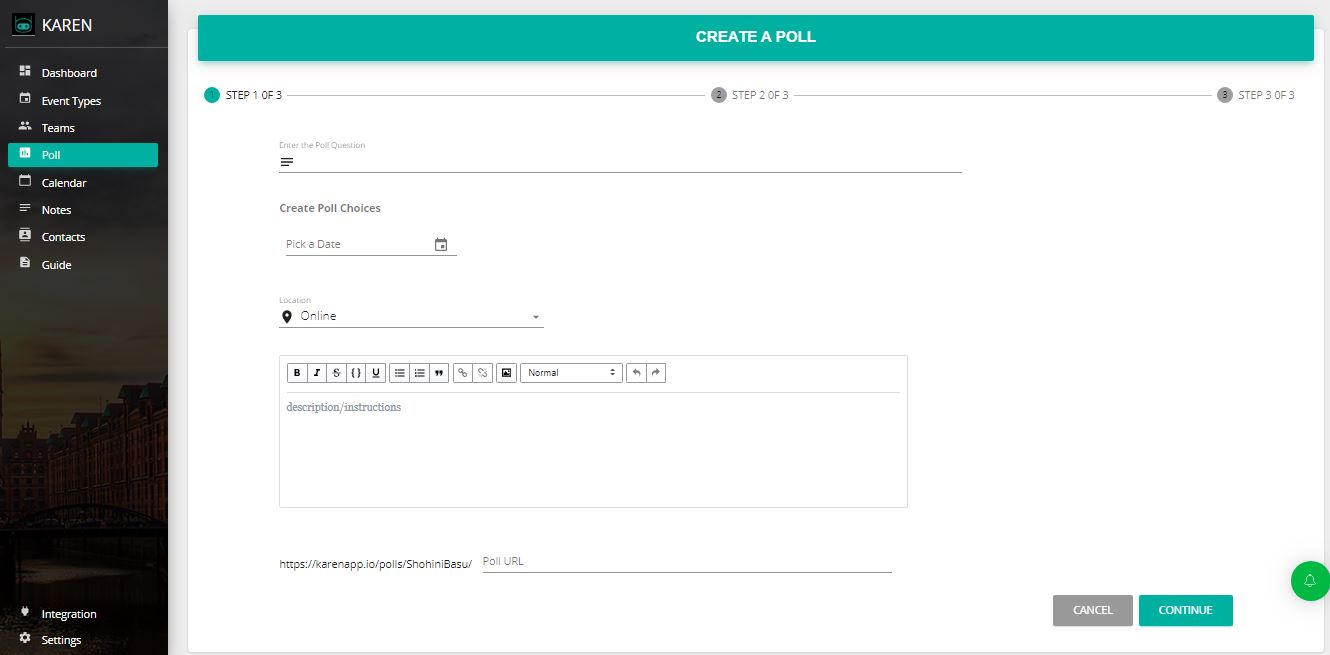
Meeting Scheduling Apps
Meeting scheduling apps solve a specific problem: finding a time when everyone’s available without endless email chains.
Meeting scheduling vs. appointment booking:
| Feature | Meeting Scheduling | Appointment Booking |
|---|---|---|
| Use case | Internal teams find a time | Clients book your time |
| Calendar type | Multiple attendees’ calendars | Business owner’s availability |
| Voting | Often used (consensus) | Not used |
| Payment | Optional | Usually required |
| CRM | Optional | Usually required |
| Video | Optional (internal meetings) | Required (client calls) |
| Example | “Team standup Tuesday 10 AM” | “Client books 30-min call Friday 2 PM” |
All-in-one tools that handle both:
FrontDeskChat
Features:
- Meeting scheduling: Sync team calendars, voting polls
- Appointment booking: Clients book services, payments via Stripe and PayPal
- Calendar sync: Gmail, Outlook, Office 365, iCloud
- Voting polls: Propose slots, attendees vote
- Video links: Auto-generate Zoom, Google Meet, GoToMeeting links
- Reminders: SMS and email automation
- CRM: Basic client history and analytics
- Zapier: Integration with 1,500+ apps
- Website embedding: Widget or dedicated URL
- Pricing: Free (unlimited bookings); paid from $8/month
Why it works for both: One tool handles internal meetings and client bookings. No switching between Doodle for meetings and Calendly for bookings. Zapier connects to Slack, Google Sheets, and your CRM.
Specialized meeting scheduling tools:
Doodle (best for pure polling)
Use when: You need voting consensus, privacy is a concern, or attendees don’t have synced calendars.
Features: Voting polls, transparent results (everyone sees votes), no login required for attendees, integrations with Slack, Teams, and Google Calendar. Not suited for payment integration.
HubSpot Meetings (best for enterprise and sales)
Use when: You track meeting ROI, CRM context matters during the call, or your team is 20 or more people.
Features: CRM-integrated, calendar sync, auto-logged meeting notes, post-meeting task creation, recording and transcription on paid tier, Slack integration. Not suited for voting polls or appointment booking.
Calendly (simple, 1-on-1 focused)
Use when: You want simplicity, primarily run 1-on-1 meetings, and don’t need CRM.
Features: Calendar sync (Google, Outlook, Yahoo), time zone detection, recurring events, clean interface. Not suited for large group meetings, voting, or complex workflows.
What makes a great meeting scheduling app:
Calendar syncing: Shows real availability, prevents conflicts, no manual updates needed. FrontDeskChat, HubSpot, and Calendly all do this well.
Voting polls: Works when people don’t share full calendars. Builds consensus. Results are transparent. Doodle, FrontDeskChat, and Vyte lead here.
Video link generation: One-click meeting creation, no manual copy-pasting of Zoom IDs. FrontDeskChat, Zoom, Google Meet, and HubSpot auto-generate links.
Reminders: No-show rates drop 40 percent or more with reminders. SMS works better than email. FrontDeskChat and HubSpot handle this automatically.
CRM context: During the meeting, see customer history (past calls, deals, notes). Personalize the conversation. HubSpot leads here. FrontDeskChat and Salesforce also provide this.
Website embedding: Visitors book without leaving your site. Increases conversion rates 15 to 25 percent. FrontDeskChat, Calendly, and Doodle all support this.
How to choose a meeting scheduling app:
- Identify your primary use: Internal team meetings (calendar sync and polling), client bookings (appointment booking and payments), both (FrontDeskChat), enterprise sales (HubSpot), or simple and light (Calendly).
- List must-haves: Calendar sync, voting polls, video integration, payments, CRM, website embedding.
- Narrow to 3 tools and test free tiers: Create a test meeting, verify calendar syncing, send test reminders, and check if it feels intuitive.
- Pick based on: Setup speed, ease for attendees, integration with existing tools, and cost.
Real-world use cases:
Consulting firm (B2B services): Use FrontDeskChat. Handle internal team syncs, client bookings, and payment collection in one place.
Sales team (high volume): Use HubSpot Meetings. All meetings log in CRM. See customer history during the call. Track deal outcomes.
Remote startup (distributed team): Use Doodle for consensus on standing meetings, then Calendly for client bookings. Simple, effective, low overhead.
Non-profit (cost-sensitive): Use Calendly’s free tier for board member meetings and Doodle for event planning votes. Zero cost, good enough for the use case.
Pricing comparison:
| Tool | Free tier | Entry paid | Best for |
|---|---|---|---|
| FrontDeskChat | Yes (unlimited) | $8/month | All-in-one |
| Doodle | Yes | $11/month | Polls |
| HubSpot | Yes (CRM) | $50/month | Enterprise |
| Calendly | Yes (5 events) | $12/month | 1-on-1 |
| Vyte | Yes | €9/month | Global teams |
Most have free tiers. Test before committing.