Best Scheduling Apps
Published
The best meeting scheduling app depends on your use case. Group voting calls for Doodle. One-on-one appointments work well with Calendly or FrontDeskChat. Deep CRM integration points to HubSpot.
Common meeting scheduling scenarios:
Finding a time for group meetings (3+ people):
- Need: Availability voting, consensus finding
- Best tools: Doodle
- Why: Polls show everyone’s availability simultaneously without requiring calendar access
1-on-1 client meetings:
- Need: Calendar sync, automated reminders, payment processing
- Best tools: Calendly, FrontDeskChat, Meetingbird
- Why: Simple setup, zero friction for clients
Sales and enterprise teams managing multiple calendars:
- Need: CRM integration, team visibility, advanced reporting
- Best tools: HubSpot, Salesforce, FrontDeskChat
- Why: Tracks meeting history and conversion
Top tools by use case:
For group meeting coordination:
Doodle (gold standard for voting)
- Simple poll: “Which time works for everyone?”
- No account needed for participants
- Integration with Slack and Teams
- Pricing: Free tier; paid plans for premium features
- Best for: Scheduling standups, finding meeting times for teams
For individual appointment booking:
FrontDeskChat
- 1-on-1 and group meeting bookings
- Built-in payments via Stripe and PayPal
- Text and email reminders
- Client chat integration
- Zapier for CRM connection
- Pricing: Free (unlimited bookings); paid from $8/month
- Best for: Consultants and coaches wanting an all-in-one platform
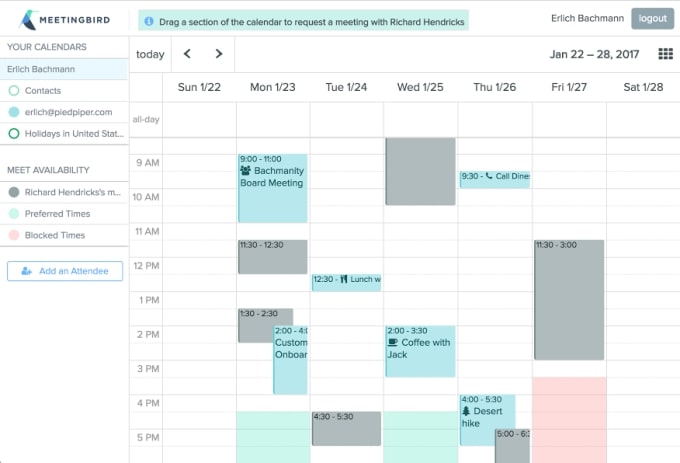
Meetingbird (free alternative)
- Sync with Google Calendar or Office 365
- Chrome Gmail extension
- Integrates with Zoom, Slack, Zapier
- Free
- Limitations: No payment processing; basic features only
- Best for: Individual consultants with light meeting volume
Calendly (easiest setup)
- 5-minute setup
- Calendar sync (Google, Outlook, Yahoo)
- Time zone auto-detection
- Multiple meeting types: 1-on-1, group, or round-robin
- Pricing: Free tier (5 active events); paid plans from $12/month
- Best for: Solopreneurs and freelancers with simple needs
For sales teams with CRM integration:
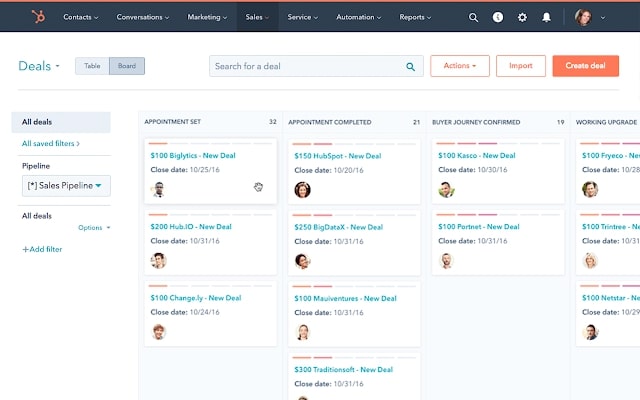
HubSpot Meetings
- Built into HubSpot CRM
- Tracks all meeting history with each contact
- Shows contact profile during call (deals, past interactions)
- Free CRM tier available
- Calendar sync with Google and Outlook
- Pricing: Free CRM with basic meetings; paid tiers from $50/month
- Best for: Sales teams, account managers, anyone tracking customer lifetime value
Salesforce
- Deep CRM integration
- Custom workflows after meetings
- Report on meeting impact on sales
- Enterprise-grade
- Pricing: Paid only, from $165/user/month
- Best for: Large enterprises with complex sales processes
How to choose:
- How many meetings per week? (Fewer than 5: free tier; 5 or more: paid)
- Group or 1-on-1? (Group: Doodle; 1-on-1: Calendly or FrontDeskChat)
- Need CRM? (Yes: HubSpot or FrontDeskChat; No: Calendly or Meetingbird)
- Team or individual? (Team: HubSpot; Individual: Calendly)
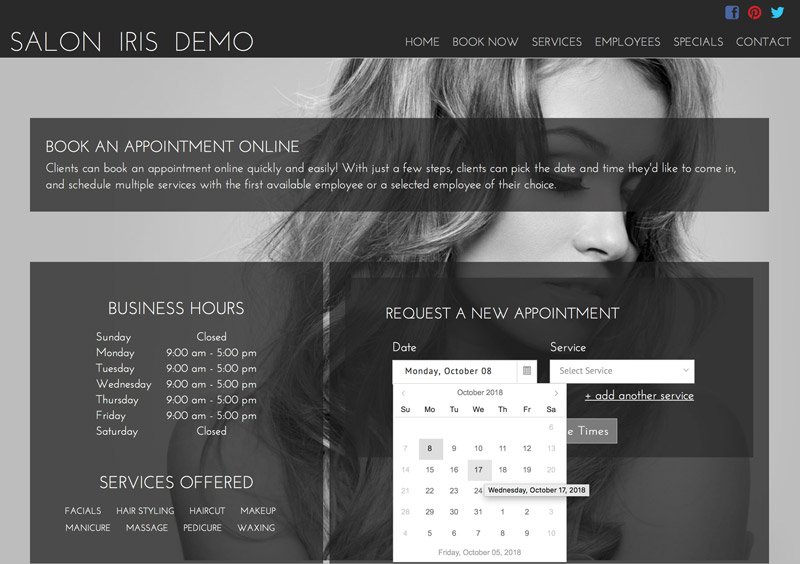
- Industry-specific needs? (Yes: Saloniris; No: general tools)
Quick comparison:
| Tool | Best for | Group? | 1-on-1? | CRM? | Payment? | Free tier? |
|---|---|---|---|---|---|---|
| Doodle | Group voting | Yes | No | No | No | Yes |
| FrontDeskChat | All-in-one | Yes | Yes | Yes | Yes | Yes |
| Meetingbird | Simplicity | Limited | Yes | No | No | Yes |
| Calendly | Solopreneurs | Limited | Yes | No | No | Yes |
| HubSpot | Sales teams | Limited | Yes | Yes | No | Yes (free CRM) |
Pro tips:
- For groups, use Doodle first. Find consensus time, then book in your primary scheduler.
- Enable automatic reminders. SMS 24h and 1h before reduces no-shows from 20-30% to under 10%.
- Set buffer time. Add 15 min between back-to-back meetings for transition and notes.
- Test as a client. Book a meeting on your own tool and check the confirmation email and meeting link.
- Sync early. Connect to your calendar before you need it.
- Use time zones strategically. Always display times in both participants’ time zones to avoid confusion.
Frequently asked questions about Best Scheduling Apps
What's the difference between a meeting scheduler and appointment booking?
Meeting schedulers find a time for mutual availability across a group. Appointment schedulers let clients pick from your open slots for a one-way booking. Many tools handle both scenarios.
Should I use a specialized tool or a general CRM with scheduling?
Specialized tools like Calendly and FrontDeskChat are easier to set up and faster to get running. Full CRMs like HubSpot and Salesforce add more features but require more configuration upfront.
Which tool works best for group meetings with three or more people?
Doodle works best for group consensus via voting polls. FrontDeskChat and HubSpot handle group bookings with calendar sync. Calendly is designed primarily for one-on-one meetings and isn’t ideal for large groups.
Can I sync meeting scheduling with my existing CRM?
Yes. HubSpot, FrontDeskChat, and Salesforce integrate natively with their own CRM features. Standalone tools like Calendly and Meetingbird use Zapier to connect to external CRMs.
Is a free scheduling app enough, or do I need paid?
Free works well if you book fewer than five meetings per month. Paid plans in the $10 to $30 per month range add CRM features, reporting, and automation. For high-volume scheduling, paid tiers quickly pay for themselves.
How do I reduce no-shows for scheduled meetings?
Enable automated reminders. One SMS reminder 24 hours before cuts no-shows by 20 to 30 percent. Two reminders (day before and one hour before) can cut them by 40 percent or more. Most paid scheduling plans include SMS reminders.