Group Meeting Time
Finding a meeting time for groups is a solved problem. Either auto-sync calendars (fastest) or use voting polls (most transparent).
Two main strategies:
Strategy 1: Calendar pooling (fastest for recurring meetings)
How it works: The system syncs all attendees’ calendars, shows overlapping free time, and auto-sends invites once you pick a slot.
Best when:
- Small, established teams (same people each week)
- Time zones are consistent across the team
- Setting up a recurring meeting
- Everyone is comfortable sharing calendar access
Tools: FrontDeskChat, HubSpot, Google Calendar, Calendly
Strategy 2: Voting polls (best for varied groups)
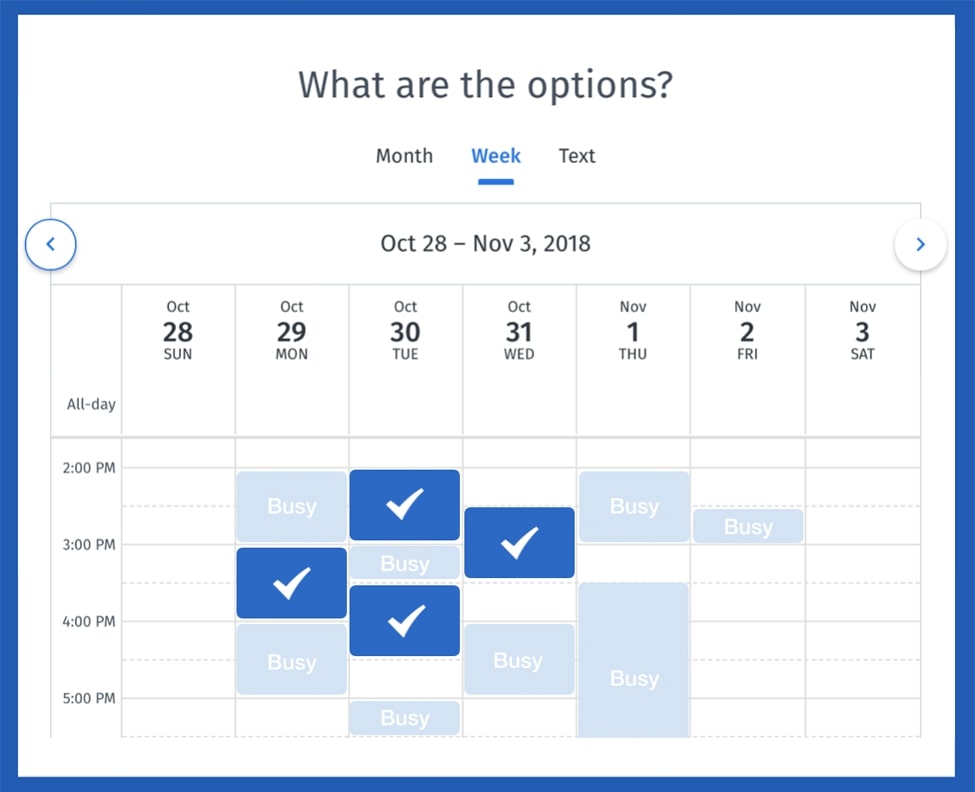
How it works: You suggest 3 to 4 time slot options. Attendees vote yes, no, or maybe for each. The tool tallies votes and the highest-voted slot wins.
Best when:
- Large or ad-hoc groups with different people each time
- Multiple time zones involved
- First meeting with new people (build consensus)
- Privacy is a concern
Tools: Doodle (gold standard), Vyte (newer interface), Acuity (if also booking)
Step-by-step: Determine meeting time
For recurring team meetings:
Initial setup (run once):
- Ask team: “What days and times generally work?”
- Use Doodle to vote on 4 options
- Pick the winner
- Set as recurring meeting in FrontDeskChat or HubSpot
- Attendees’ calendars auto-block that time every week
Every week after: zero action needed.
For one-off meetings:
- Create a Doodle poll with 3 to 4 slots spread across different days and times
- Account for time zones using the tool’s auto-conversion
- Send the link to attendees with a deadline: “Please vote by tomorrow at 5 PM”
- Wait for results (most votes come in within the first 4 hours)
- Announce the winner via email with the calendar invite included
Global teams across many time zones:
Use Vyte or Doodle with time zone conversion. Vyte shows each attendee their local time automatically.
Example: You propose “Tuesday 8 AM PT.” The London attendee sees “Tuesday 4 PM GMT.” The Singapore attendee sees “Wednesday 12 AM SGT.” All voting on the same slot, but in their own times.
For teams genuinely split across hemispheres, consider scheduling two separate sessions and recording both.
How to run an effective voting poll:
Limit options to 3 to 4 slots. More choices reduce response rates. Decision fatigue is real.
Spread options across different days and times. If every option is Tuesday or Wednesday morning, you exclude people in distant time zones entirely.
Example of good spread:
- Monday 8 AM PT (US West coast early)
- Tuesday 1 PM ET (US East coast and Europe overlap)
- Wednesday 6 PM ET (Europe evening and Asia early morning)
Set a voting deadline. Without one, polls drag on indefinitely. “Vote by today at 5 PM” drives urgency. Once you have 70 percent of votes, decide.
Honor the result. If Monday 9 AM gets six votes and Wednesday 2 PM gets two, schedule Monday 9 AM. Override only when you’re genuinely unavailable or it’s physically impossible. If you override often, people stop participating.
Communicate the result clearly. Don’t just say “meeting is scheduled.” Put the time, date, and time zone in the subject line and body of the message. Include the calendar invite.
Tools comparison:
| Tool | Calendar sync | Polling | Time zones | Best for |
|---|---|---|---|---|
| Doodle | Basic | Yes | Automatic | Ad-hoc meetings, consensus |
| Vyte | Yes | Yes | Excellent | Global teams |
| FrontDeskChat | Full | No | Automatic | Recurring and booking |
| HubSpot | Yes | No | Automatic | Sales teams |
| Google Calendar | Native | No | Automatic | Internal teams |
Common mistakes:
- Proposing too many time slots (8 or more = low response)
- Not setting a deadline (poll drags on for weeks)
- Not accounting for time zones (someone joins at the wrong time)
- Using email instead of a tool (threads become chaos)
Pro tip: Once you find a recurring time, stick with it. Lock the slot in your calendar and treat it as non-negotiable. People value the predictability of “it’s always Tuesday at 9” more than the flexibility of finding a slightly better time each week.