Group Scheduling Apps
The best group scheduling apps combine calendar syncing, attendance tracking, and polling so you can see who’s available and confirm the right time without email chaos.
What to look for in a group scheduling app:
- Calendar syncing (real-time availability)
- Voting polls (consensus when syncing isn’t possible)
- Attendee tracking (who’s confirmed, how many)
- Video conferencing integration (auto-generates meeting links)
- Reminders (reduces no-shows)
- Analytics (track attendance patterns)
Top group scheduling apps:
FrontDeskChat (best all-in-one)
Features:
- Calendar sync: Gmail, Outlook, Office 365, iCloud, iCal
- Group booking page with multiple attendees and clients
- Voting polls within the same interface
- Attendee count visible before the meeting
- Auto-generated video links (Zoom, Google Meet, GoToMeeting)
- SMS and email reminders (reduces no-shows by 40 percent or more)
- Pre-meeting client chat room
- Attendance analytics and no-show patterns
- Zapier integration with 1,500+ apps
- Pricing: Free (unlimited bookings); paid from $8/month
- Best for: Teams wanting one tool for scheduling, payments, and reminders
HubSpot (best for enterprise)
Features:
- CRM-integrated with attendee history, company info, and deal status
- Calendar sync (Gmail, Outlook, Slack)
- Group meetings with multiple attendees
- Attendance tracking (who attended, who missed, duration)
- Recording (paid tier)
- Post-meeting task creation
- Team calendar visibility
- Pricing: Free CRM tier; meetings on all plans
- Best for: Sales teams, account managers, enterprise
Calendly (simple group meetings)
Features:
- Calendar sync (Google, Outlook, Yahoo)
- Limited group meeting support (better for 1-on-1)
- No built-in polling
- Time zone auto-detection
- Pricing: Free tier; paid from $12/month
- Best for: Solopreneurs and consultants with light group scheduling needs
Doodle (best for polling)
Features:
- Voting polls as core functionality (3 to 4 options, attendees vote)
- Transparent results visible in real time
- No login required for attendees
- Integrations: Slack, Teams, Google Calendar, Outlook
- Works for groups of 3 to 50 or more
- Pricing: Free tier; paid for recurring and advanced features
- Best for: Finding meeting consensus and ad-hoc meetings
Vyte (best for global groups)
Features:
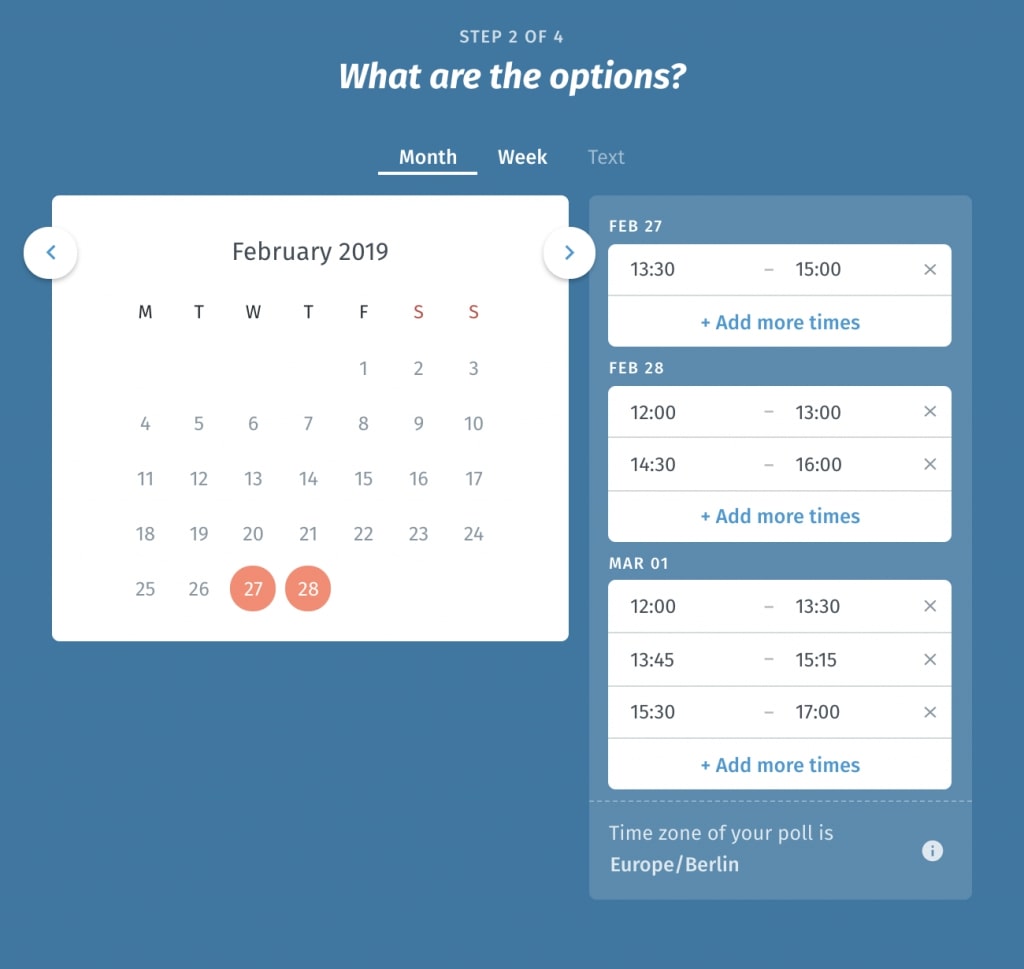
- Automatic time zone conversion in polls
- Calendar sync (Google, Outlook, iCal)
- Voting polls with time zone handling
- Video integration (Zoom, Google Meet)
- Attendee slot visibility
- Pricing: Free tier; paid for advanced features
- Best for: Global teams across multiple time zones
Zoho (all-in-one suite)
Features:
- CRM-integrated like HubSpot
- Calendar sync (Gmail, Outlook)
- Group meeting scheduling with multiple attendees
- Basic voting feature
- Pricing: Free tier; paid from $15/month
- Best for: SMBs wanting a Salesforce alternative
How to choose:
- How many attendees per meeting? (2 to 3: Calendly; 4 to 10: FrontDeskChat or Doodle; 10+: HubSpot or FrontDeskChat)
- Do you need CRM integration? (Yes: HubSpot or Zoho; No: FrontDeskChat, Doodle, Calendly)
- Are you scheduling across multiple time zones? (Yes: Vyte or Doodle; No: any tool works)
- Do you need voting polls? (Yes: Doodle, Vyte, or FrontDeskChat; No: Calendly or HubSpot)
- Do you track attendance and no-shows? (Yes: FrontDeskChat or HubSpot; No: Doodle or Calendly)
Real-world scenarios:
Team standup (same 5 people weekly): Use FrontDeskChat with a recurring group meeting. Set once and it runs itself. Zero maintenance.
Sales call with 3 team members plus a prospect: Use FrontDeskChat group booking. Sync all team members’ calendars. The prospect sees only times when all are free, books, and everyone gets an invite with a Zoom link.
Company all-hands (100 or more people, flexible time): Use Doodle poll to identify the best time, then HubSpot or Google Calendar for the official meeting. Announce in Slack with time zone options included.
Global team across 4 time zones: Use Vyte. Propose 3 times and every attendee sees their local time automatically. No time zone confusion.
Best practices:
- Pre-sync all attendees’ calendars before your first meeting with a tool
- Establish recurring meetings with “recurring” event types in your app
- Mark attendees as required or optional for large meetings
- Add 15-minute buffers between back-to-back meetings
- Send meeting prep materials 24 hours before important meetings
- Record meetings with significant content so people who miss can catch up
Quick comparison:
| App | Group size | Polling | CRM | Free tier |
|---|---|---|---|---|
| FrontDeskChat | 2 to 100+ | Yes | Basic | Yes (unlimited) |
| Doodle | 3 to 50+ | Yes | No | Yes |
| HubSpot | 2 to 500+ | No | Yes | Yes |
| Calendly | 2 to 10 | No | No | Yes |
| Vyte | 3 to 100+ | Yes | No | Yes |