Changing the Account Owner
Published
The ownership of an account on Zoom can be changed as required, but this authority lies only to the current owner. However, in a Pro account, an admin can request to be the owner. Anybody can check who the owner of the account is. Although these features are available for free with a credit card, Pro, Business, Education, and API partner accounts only. If you are an owner and want to shift this responsibility to another user, follow the below steps.
- Sign in to the Zoom web portal and navigate to the User Management Section.
- Enter Users and select add user and add the new user if they are not a member of the account.
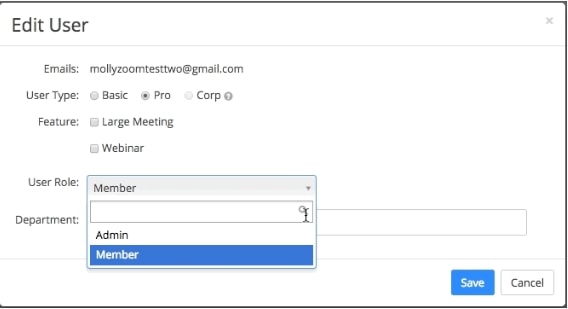
- Change their role to admin and save before proceeding.
- Navigate to the Account profile section in Account management.
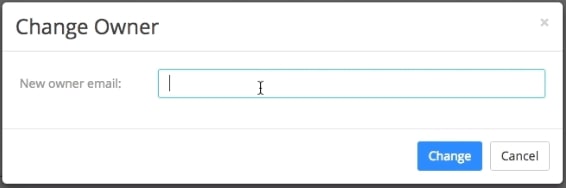
- Select the Change Owner and enter the new owner’s mail ID.
- Select Change to update your settings.
- The old owner now becomes an admin, and the new owner is in control of the account.