How to Set up your timezone in your profile settings in Slack?
Published
Traveling to some other country? You can update your local time zone in Slack.
- Click your workspace name in the top left
- Choose Preferences
- Select Language & region
- Under Time zone, choose an option from the menu.
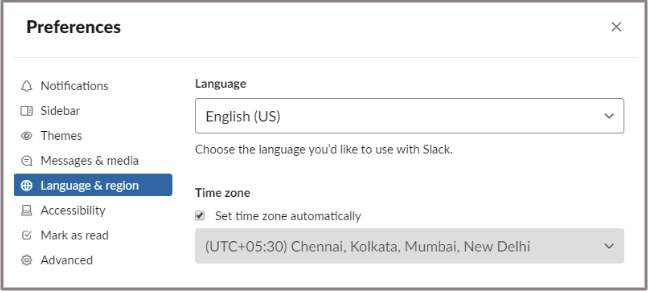
If you’d like Slack to automatically update your time zone, tick the box next to Set time zone automatically.
Get started free