How to wrap text on Google Calendar?
Published
Google Calendar doesn’t wrap text in event titles on the calendar grid itself. However, you have unlimited space in the Description field for multi-line notes, agendas, and follow-ups formatted however you want.
Text wrapping in descriptions:
Event descriptions support full text formatting:
- Line breaks (press Enter)
- Bullet points and numbered lists
- Bold and italic text
- Multiple paragraphs
- Unlimited characters
Add wrapped text to an event:
- Click an event or create a new one.
- Click the edit icon (pencil).
- Scroll down to the Description field.
- Type your text. Press Enter to create line breaks.
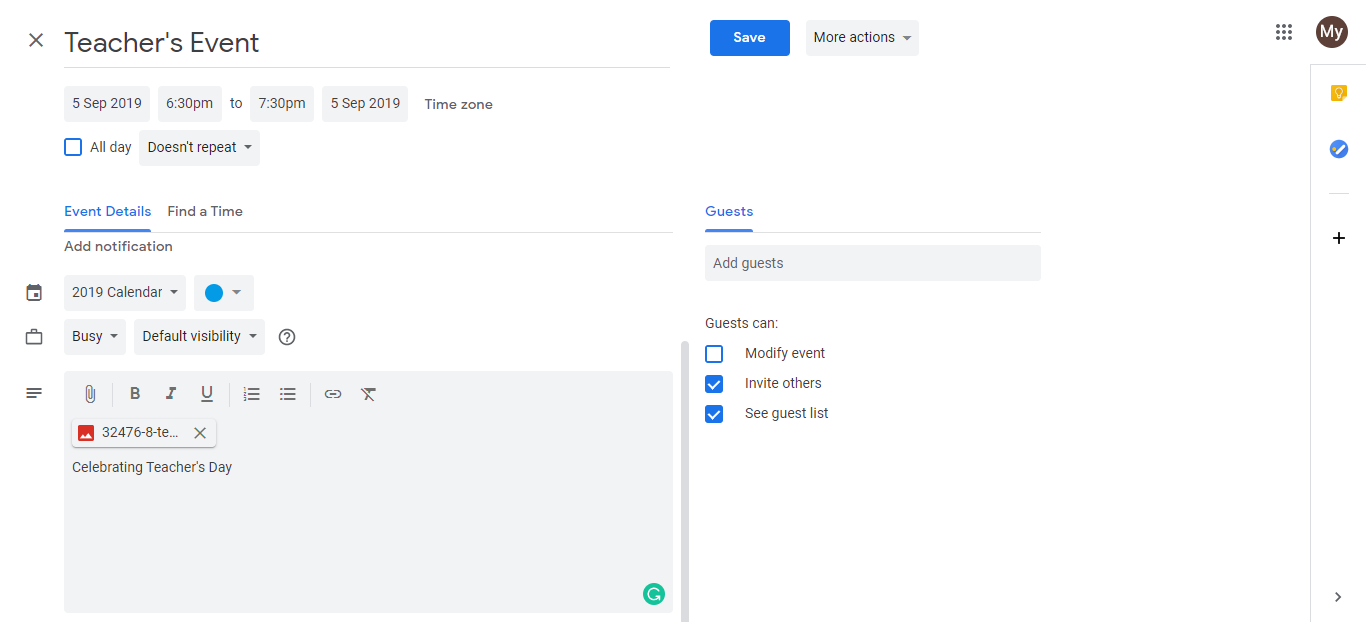
- Format with line breaks, bullets, and structure as needed.
- Click Save.
When someone opens the event, they see the full multi-line description in a scrollable area.
Event titles on the calendar:
- Titles don’t wrap on the calendar grid. They truncate with “…” when too long.
- The full title shows when you click or hover over the event
- Keep titles short: “Client Call with Acme Corp” instead of “Client strategy call with Acme Corp to discuss Q2 plans”
Best practice for consultants:
- Short title (visible on calendar): “Client Kickoff: Project X”
- Full details in description: Meeting agenda, who’s attending, link to proposal document, action items for follow-up
- This keeps your calendar view clean while capturing all the context you need
Frequently asked questions about How to wrap text on Google Calendar?
Can I bold or italicize text in event titles?
No. Event titles are plain text only. Go to the Description for formatting options like bold, italics, and bullets.
Does description formatting sync across all devices?
Yes. Formatted text in descriptions syncs to web, mobile, and calendar apps. Formatting displays consistently everywhere.
Can I add links in event descriptions?
Yes. Paste a URL directly in the description and Google Calendar makes it clickable. Text-based links work across all platforms.
What's the best way to make an event title shorter?
Use shorthand or abbreviations that your team understands. Put full context in the description. Example: Title ‘Client Call: Acme Q2’ with agenda in description.
If I create an all-day event, does it still truncate the title?
No. All-day events show full titles with more space. They’re good for notes, daily logs, or anything needing visible text.