How to use Google Calendar as a diary (without time slots on it) to keep a record of the day?
Published
Turn Google Calendar into a searchable journal by storing notes in event descriptions. Every event can hold unlimited text, making it perfect for logging what happened, what was discussed, and what comes next. All your notes stay in one place alongside your actual schedule.
Add notes to any event:
- Open calendar.google.com.
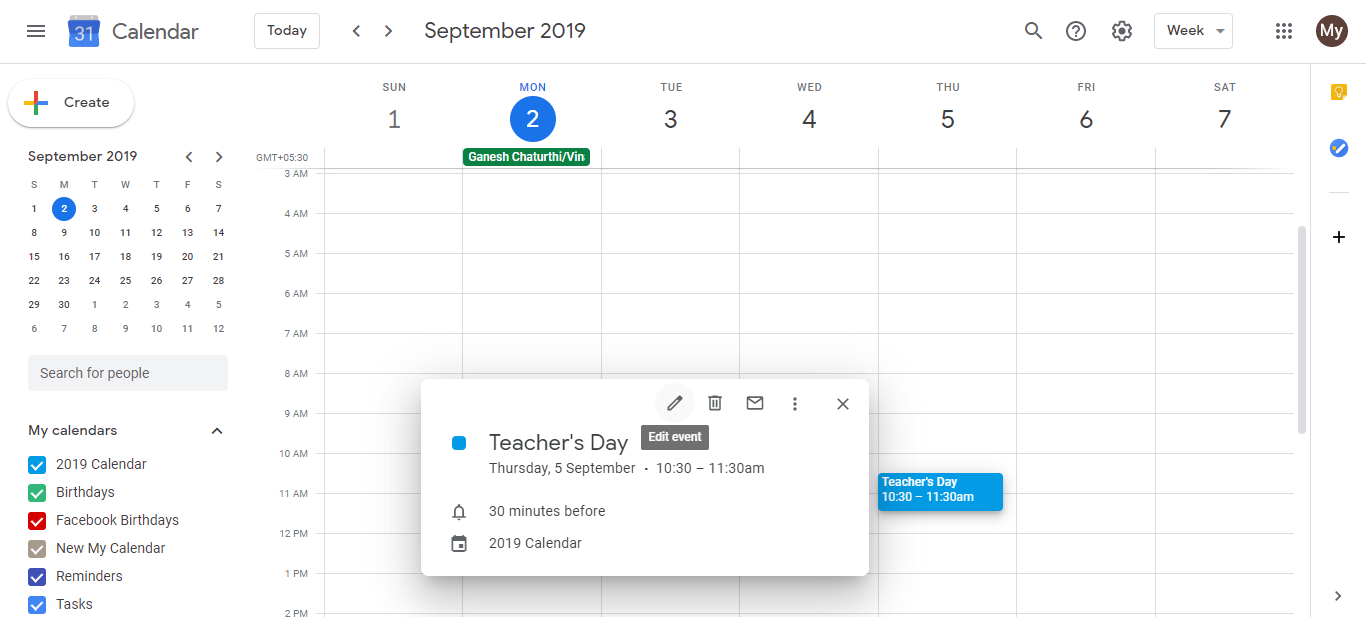
- Click the event you want to add notes to (or create a new all-day event for that date).
- Click the edit icon (pencil) to open event details.
- Scroll down to the Description field.
- Type your notes, reflections, or summary. No character limit. Write as much as you need.
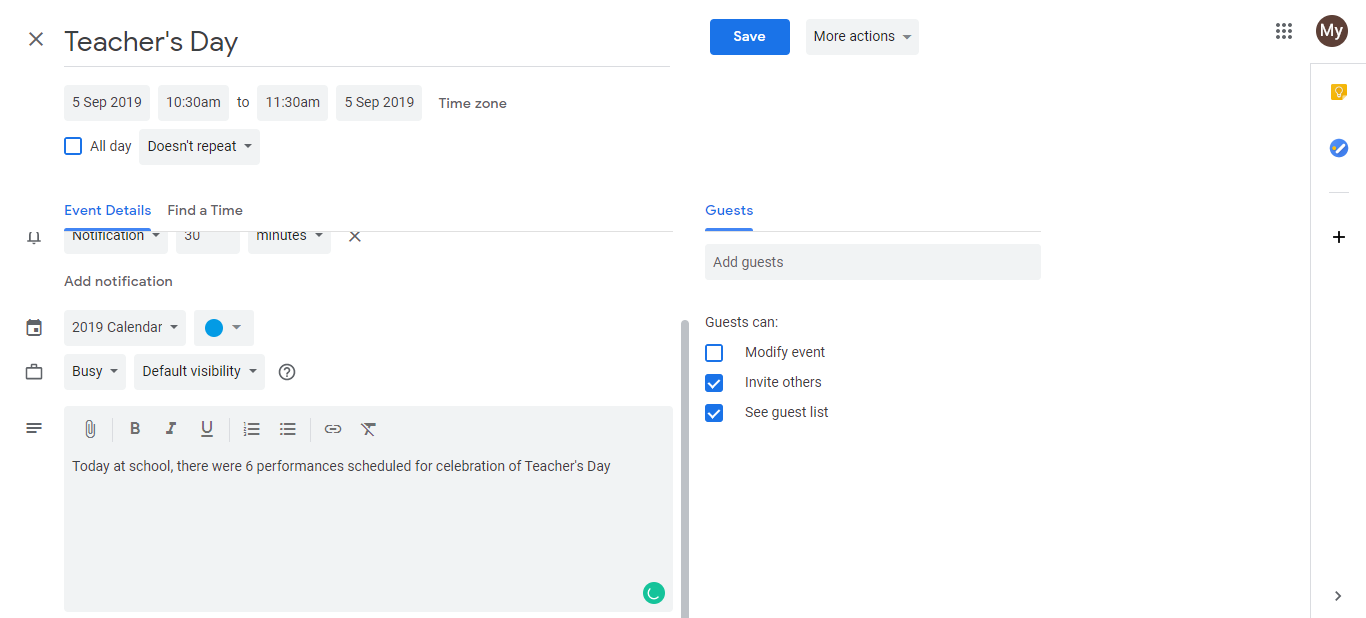
- Click Save.
Best practices for calendar journaling:
- For client meetings: Write notes about what was discussed, decisions made, action items, and next steps. Keeps your follow-up clear.
- For personal daily logs: Create an all-day event called “Daily Log” and write a summary of what you accomplished that day.
- For project milestones: Document what changed, what was shipped, what blockers existed. Useful for retrospectives and invoicing.
- Search past notes: Use Calendar’s search to find old entries. Example: search “client feedback” to find all client feedback notes across months.
- Attach documents: Add receipts, screenshots, or files directly to event descriptions.
For solo consultants:
- Log the outcome of every client call. What they need, what you committed to, follow-up tasks.
- Track which projects were active each week. Useful for invoicing and timesheet accuracy.
- Build a running log of wins and accomplishments. Helps with confidence and reflection.
- Keep a decision log. Why you chose certain approaches, what worked, what didn’t.
Frequently asked questions about How to use Google Calendar as a diary (without time slots on it) to keep a record of the day?
Can I make diary entries private so no one sees them if I share my calendar?
No. If you share your calendar with ‘See all event details’ permission, people see everything including your descriptions. Use ‘See only free/busy’ to keep your diary notes hidden from shared viewers.
Is there a character limit for descriptions in events?
No practical limit. You can write thousands of words in a single event description. Google Calendar will accommodate it.
Can I search my diary notes across all events?
Yes. Use Google Calendar’s search bar to search your notes. Example: search ‘client feedback’ and it finds every event with that phrase in the description.
Can I export my diary entries for backup?
You can export a calendar as an ICS file, which includes all descriptions. But it’s a calendar file, not a formatted document. For a cleaner backup, copy-paste important entries to a doc.
What's the best way to organize diary entries if I have many events?
Create separate all-day events for ‘Daily Log’ entries. Combine related details into one event rather than spreading them across multiple events to keep your calendar manageable.