How to print a Google Calendar?
Published
You can print your Google Calendar to create a physical backup, share a schedule with someone who prefers paper, or post it in an office. Google Calendar’s print feature lets you customize the layout, date range, and style.
To print your Google Calendar:
- Go to calendar.google.com.
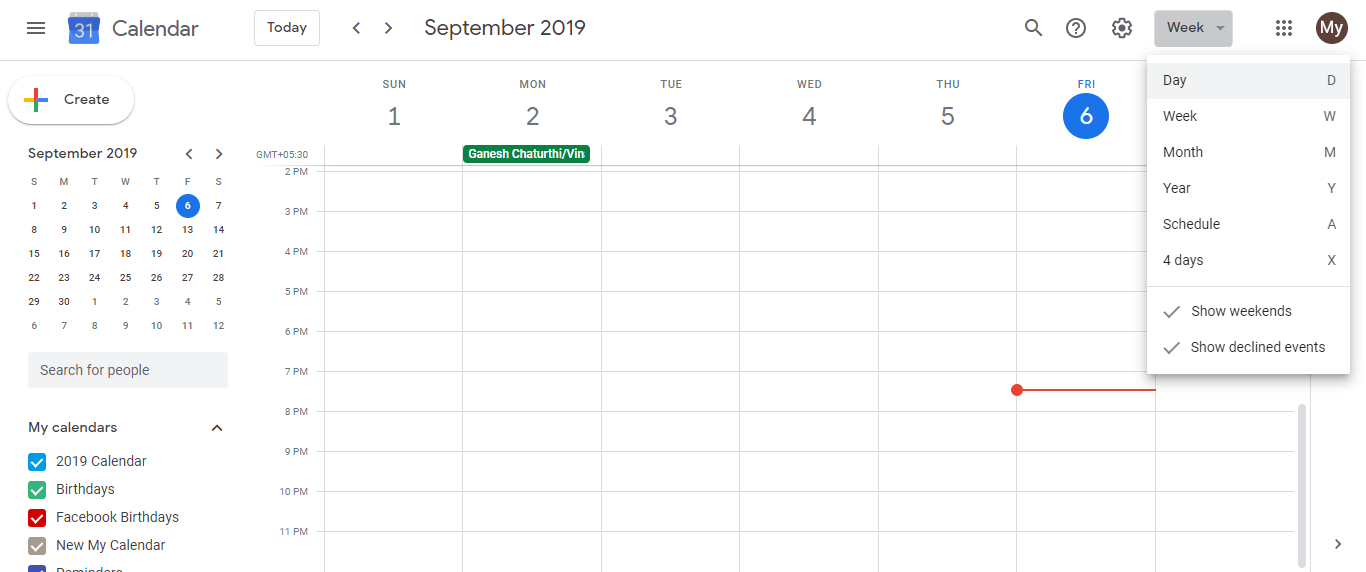
- Select your desired calendar view using the buttons at the top:
- Day - prints a single day in detail
- Week - prints a 7-day view
- Month - prints an entire month (most common)
- Schedule - prints events in list format
- 4 Days - prints a 4-day horizontal view
- Choose the date or date range you want to print (use the navigation arrows or date picker).
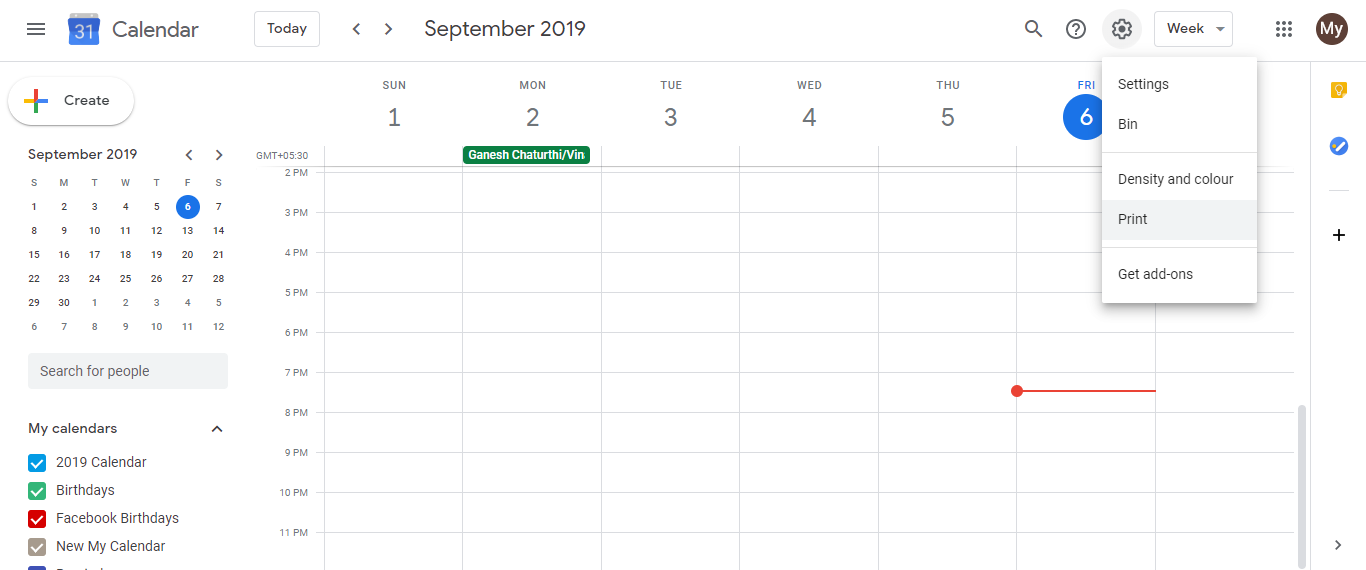
- Click the Settings icon (gear) in the top right.
- Select Print.
 6. A print preview window opens. You can:
- Adjust the page orientation (portrait or landscape)
- Select which calendars to include
- Change fonts and colors
- Confirm the date range
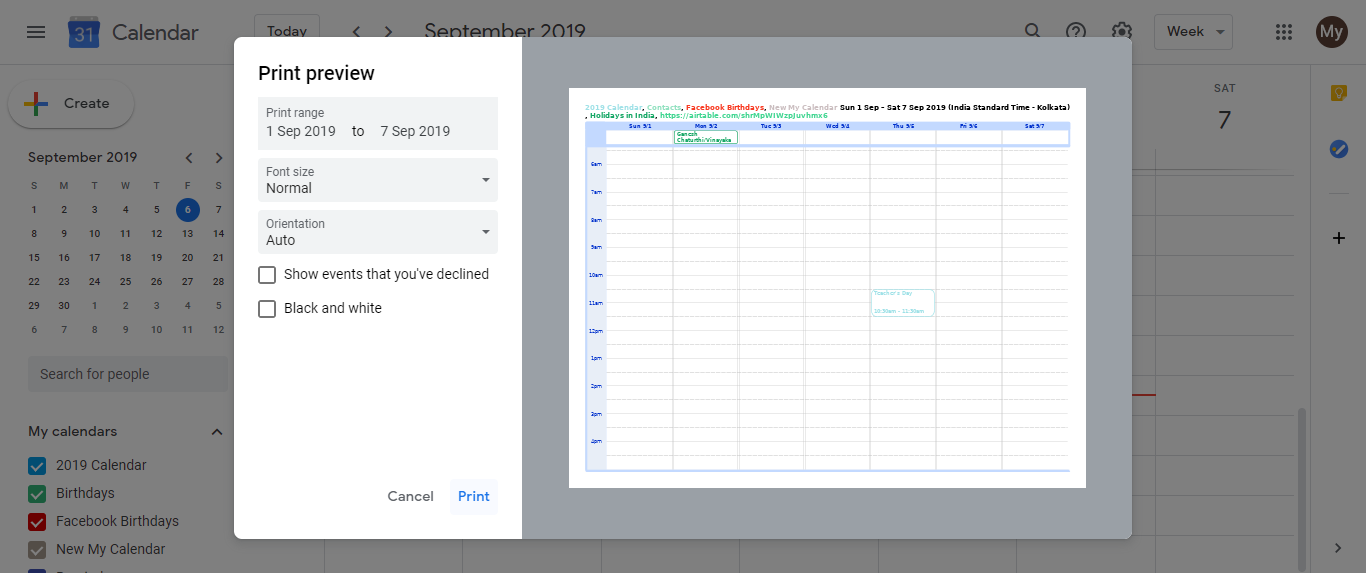
- Click Print or adjust printer settings as needed.
- Choose your printer and click Print again.
Tips:
- Month view is best for most uses. It gives a clear overview of all your bookings and focus blocks.
- Schedule view works well if you want a text-based list of all upcoming events (useful for sending to clients).
- For solo consultants, a printed month view is helpful to keep at your desk or share with an assistant managing your bookings.
Frequently asked questions about How to print a Google Calendar?
Can I print multiple calendars at once?
Yes. The print preview shows a checklist of all your calendars. Select or deselect which ones to include before printing.
What if an event is cut off at the edge when printing?
Switch to landscape orientation in the print preview. This gives more horizontal space and prevents text truncation.
Can I print past events or only future ones?
You can print any date range you choose. Use the date picker or navigation arrows to go back in time before printing.
Does printing include shared calendars?
Yes. All calendars you have access to appear in the checklist. Uncheck any you don’t want included.
Can I save as PDF instead of printing to paper?
Yes. In the print dialog, select ‘Save as PDF’ from the printer dropdown instead of a physical printer.