How to get Google calendar to email once a day with a summary of the calendar?
Published
Get a daily email with all your appointments for the day. No need to open the app. Check your inbox first thing in the morning and see every client call, deadline, and time block scheduled. Perfect for solo consultants managing multiple clients and avoiding double-bookings.
Set up daily agenda emails:
- Go to calendar.google.com.
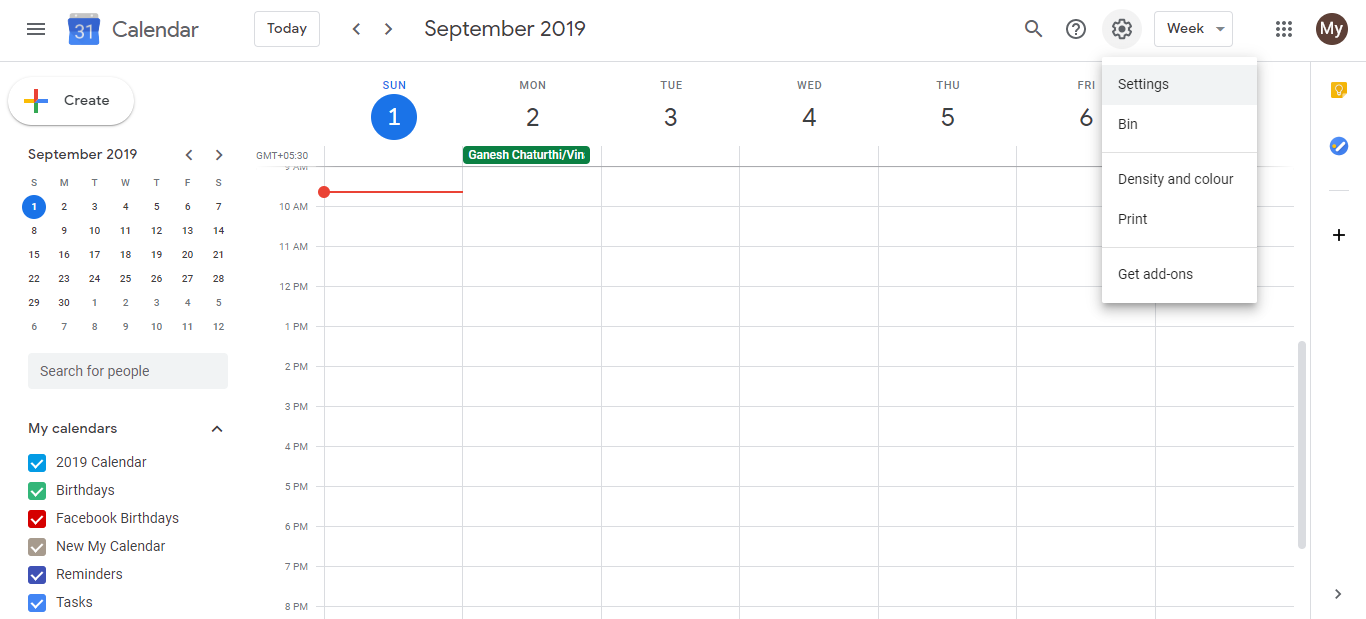
- Click the Settings icon (gear) in the top right, then select Settings.
- In the left menu, click Notifications.
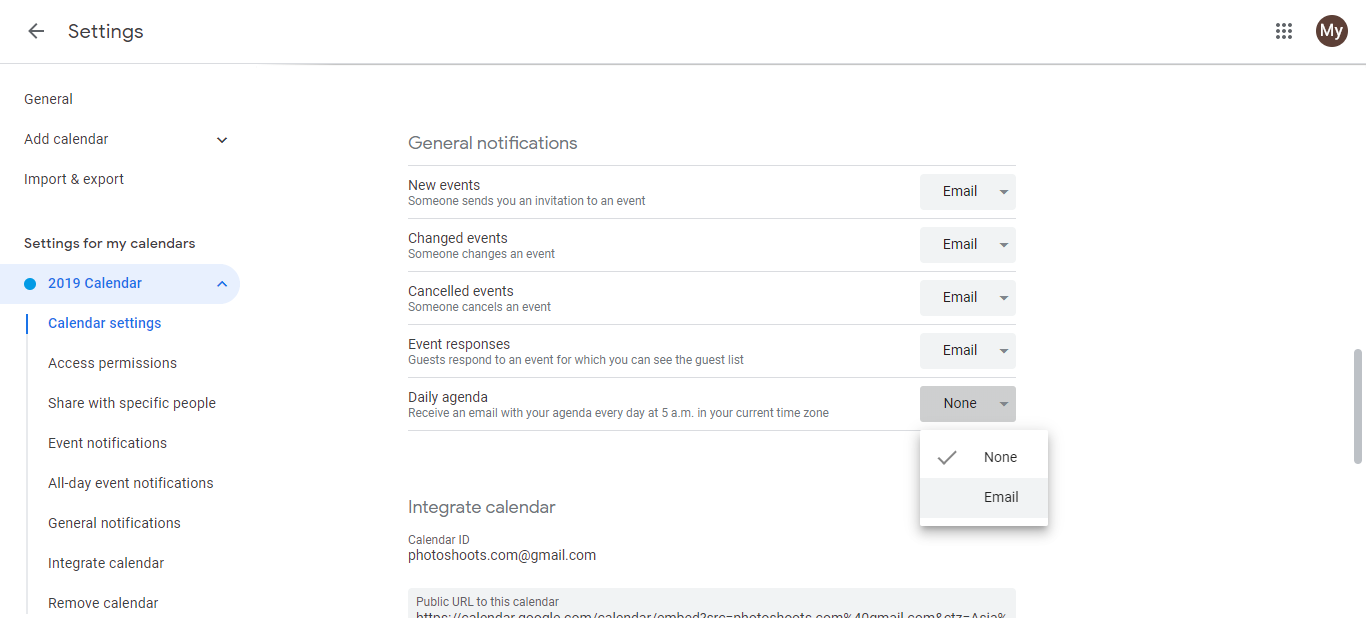
- Scroll to the Daily Agenda section.
- In the dropdown, select Email (instead of “None”).
- Choose what time to receive it. Best practice: set it for 15 minutes before your workday starts so you can review before meetings begin.
- Click Save.
What you’ll get in the email:
- All events from all your calendars (personal, shared, client projects, team calendars).
- List of everything scheduled for that specific day.
- Arrives at your chosen time every morning.
- Includes event times, descriptions, and attendees.
Best time to receive it:
Set it to 30 minutes before you typically start your workday. This gives you time to review upcoming client calls, meetings, and focus blocks before responding to messages or opening your inbox.
Tips:
- Use this email as your daily “all hands” briefing. Quickly scan it before client calls.
- If you have back-to-back client time, the email shows you cumulative time blocks so you can spot energy burnout.
- Especially valuable for consultants with shared calendars. The email shows all shared events too.
- If you don’t see it, check your spam folder the first time
Frequently asked questions about How to get Google calendar to email once a day with a summary of the calendar?
Can I get multiple daily emails at different times?
No. You can only set one daily agenda email time. If you want multiple summaries, set it for the time most useful and check manually at other times.
What if I don't see the daily agenda email?
Check your spam folder first. If it’s not there, go back to Notifications settings and confirm you saved the change. The email might not arrive until the next day.
Do the daily emails include events from shared calendars?
Yes. All visible calendars are included, whether you own them or they’re shared with you.
Can I unsubscribe from daily emails without turning off all notifications?
Yes. Go to Notifications, find Daily Agenda, and set it to ‘None’ instead of ‘Email’. Other notifications stay active.
What time should I schedule the daily email?
30-60 minutes before your workday starts gives you time to review before meetings. If you’re busy early, schedule it the night before or lunchtime instead.