How to undo accidental deletion of Google Calendar events?
When you delete an event from Google Calendar, it doesn’t disappear immediately. Instead, it goes to the Trash (sometimes called Bin) where it stays for 30 days. You can restore it anytime during that 30-day period.
How to restore a deleted event:
Open Google Calendar at calendar.google.com.
Click the Settings gear icon in the top-right corner.
Look for Trash or Bin in the dropdown menu and click it. (The exact label depends on your Google Calendar version.)
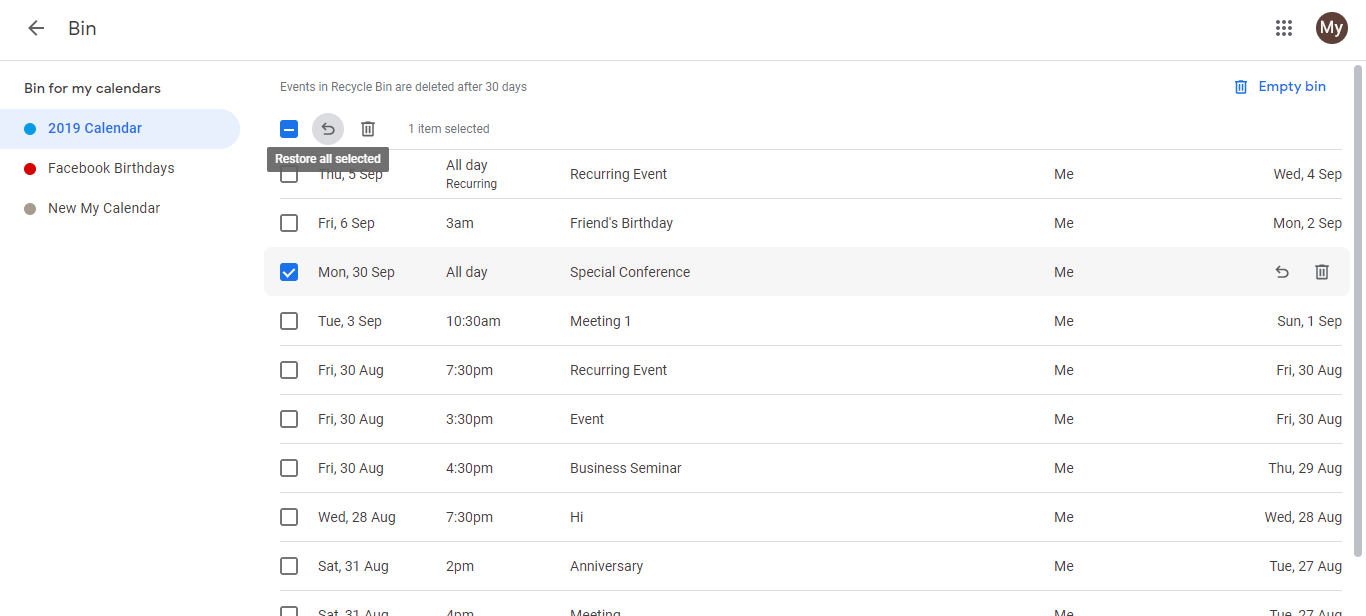
A list of all deleted events appears, organized by deletion date. Review the list to find the event you want to restore.
Optional: Select specific events. Click the checkbox next to the event (or multiple events) you want to restore.
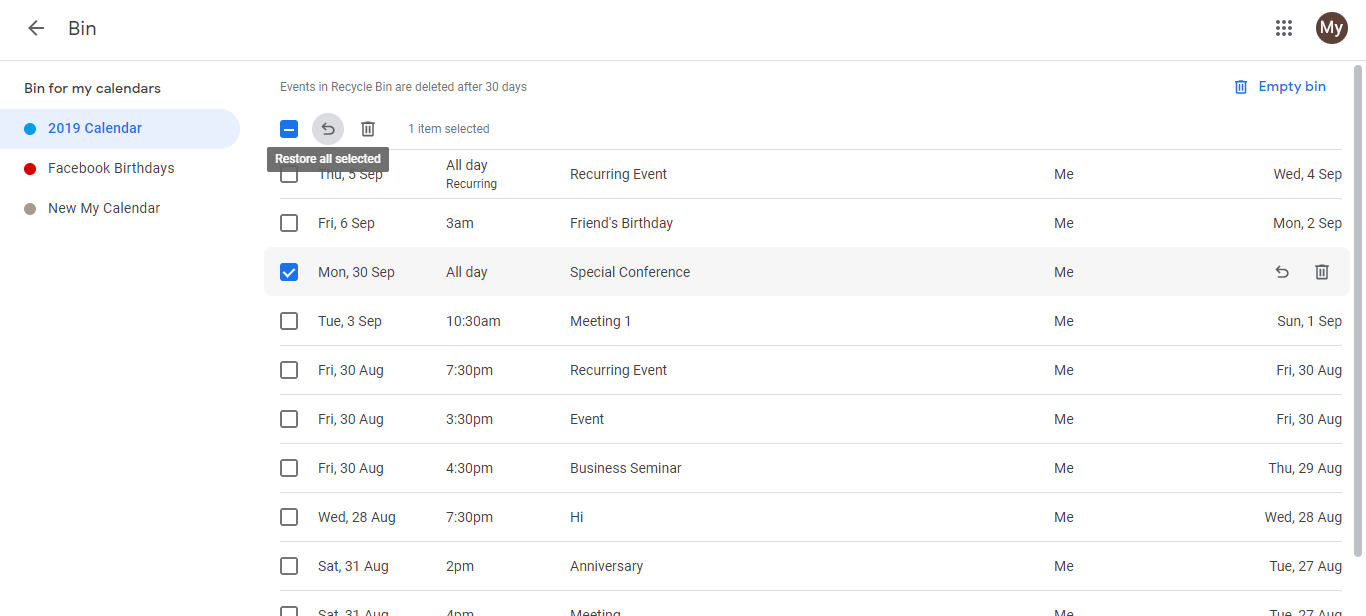
Click the Restore icon (a curved arrow, usually at the top right or in a toolbar). This restores the selected event(s) to your calendar.
The event reappears on your calendar on its original date and time.
Important notes:
- 30-day retention: Events in Trash are automatically deleted after 30 days. If you deleted an event more than a month ago, it’s likely gone.
- Bulk restore: You can check multiple events and restore them all at once.
- No notifications sent: Restoring an event does NOT send notifications to invited guests. You may need to manually notify attendees if the event had other people invited.
What happens with recurring events:
- If you deleted just one occurrence of a recurring event, only that occurrence goes to Trash. The rest of the series remains on your calendar.
- To restore a single deleted occurrence, go to Trash, find it, and click Restore. It reappears on its original date.
- If you deleted the entire recurring series, the whole event goes to Trash. Restoring it puts the entire series back on your calendar.
Permanent deletion (before 30 days):
If you want to permanently delete an event without waiting 30 days:
Open Trash/Bin.
Click the event you want to permanently delete.
Look for a Delete permanently or Delete forever button (usually near the Restore button).
Confirm the permanent deletion.
The event is immediately and permanently removed and cannot be recovered.
How long does Google Calendar keep events?
Until and unless you delete an event, it remains stored in Google Calendar forever (no automatic expiration). Deleted events stay in Trash for 30 days, then are permanently deleted. Archived events (if your calendar supports archiving) also remain indefinitely.
Tips to avoid accidental deletion:
- Be cautious when clicking Delete. Use the Trash first approach.
- For critical recurring events, consider setting a very far end date or keeping a backup.
- Regularly review your Trash if you suspect you’ve deleted something important.
- For shared calendars, communicate with team members before deleting important events.