How to prevent strangers from adding events to my Google Calendar?
Google Calendar has a setting called Automatically add invitations that controls whether meeting invitations are automatically added to your calendar when you receive them. Changing this setting can prevent unwanted events from cluttering your calendar view.
The problem: Unwanted invitations on your calendar
By default, Google Calendar adds any invitation you receive to your calendar immediately, regardless of whether you’ve accepted, declined, or even seen the invitation. This means if someone with your email address sends you an invitation (including spam or unsolicited meeting requests), the event appears on your calendar instantly.
How this setting works:
The Automatically add invitations setting controls whether Google Calendar automatically places new invitations on your calendar. With the default setting, all invitations appear on your calendar. Changing it means invitations only show up after you’ve explicitly responded.
How to prevent unwanted events from being auto-added:
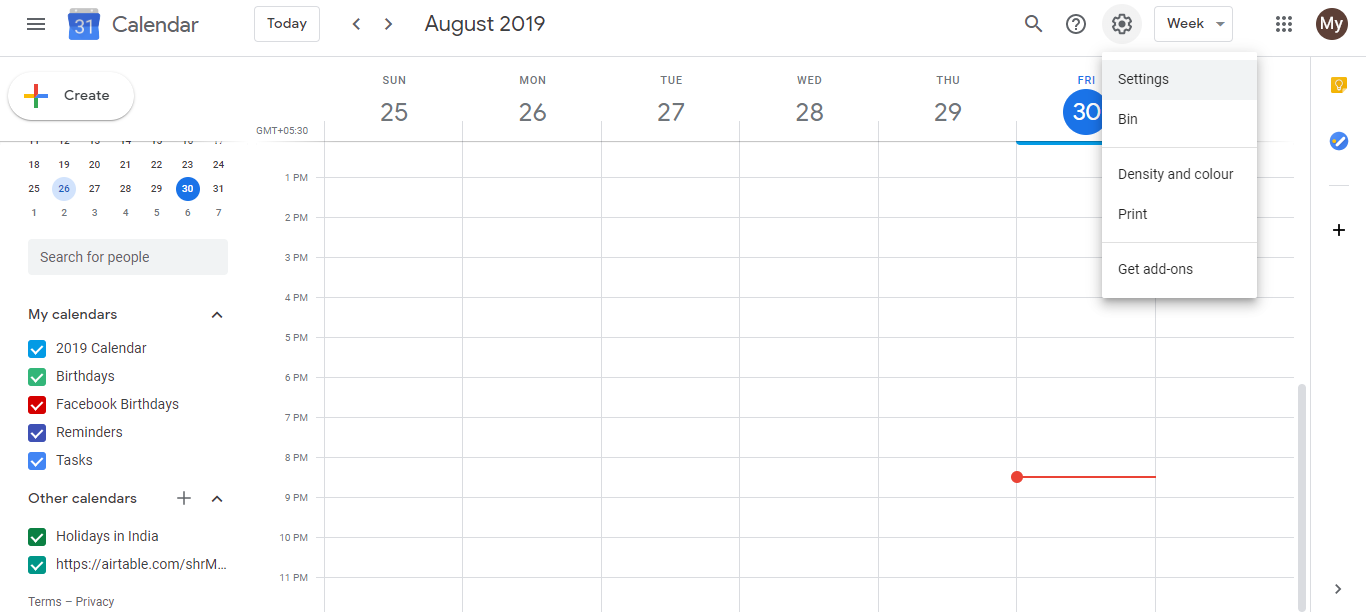
Open Google Calendar at calendar.google.com.
Click the Settings gear icon in the top-right corner.
Select Settings.
In the left sidebar, find and click Settings (in the main settings panel).
In the main content area, locate the section Event settings.
Look for Automatically add invitations and click on it.
- Select No, only display invitations to which I have replied.
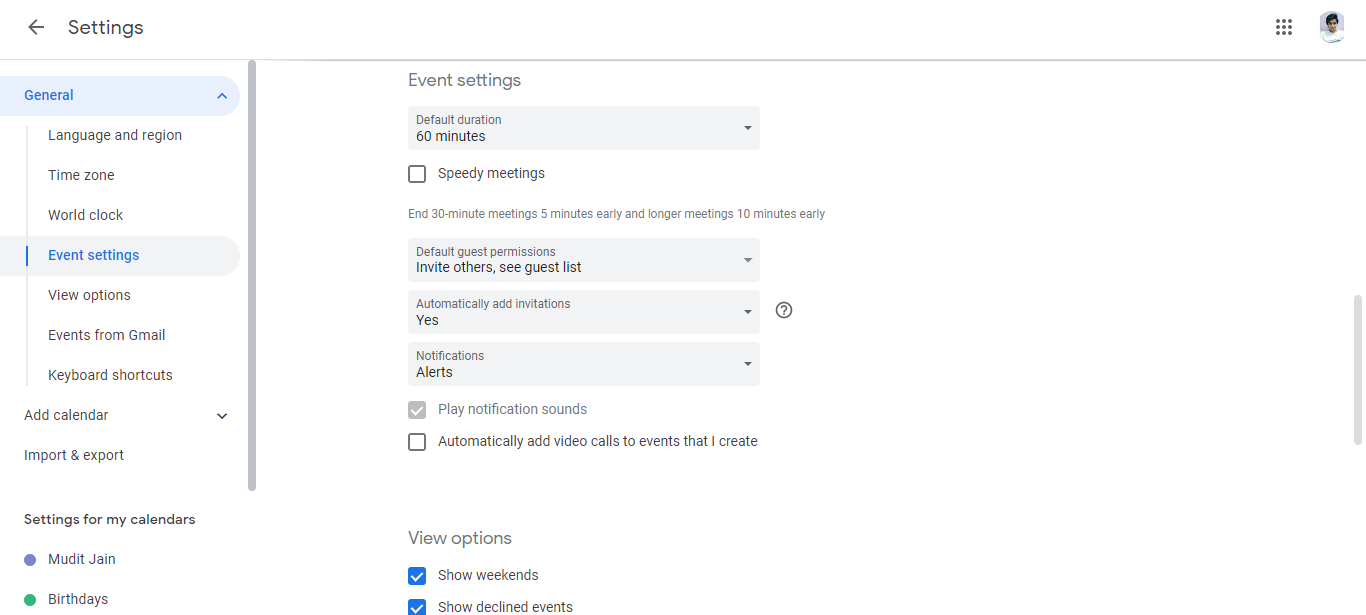
- Click Save.
From now on, new invitations won’t appear on your calendar until you explicitly accept or decline them.
What changes:
- With default setting (Yes, add all): Any invitation you receive appears on your calendar immediately, whether you’ve responded or not.
- With “No, only display replied invitations”: Invitations appear in your inbox but NOT on your calendar until you respond by accepting or declining.
Important: This does NOT:
- Stop invitation emails from arriving in your inbox.
- Block organizers from seeing that you received the invitation.
- Prevent you from responding to invitations.
When to use this setting:
Use this if you:
- Receive many unsolicited meeting invitations.
- Want to review invitations before they clutter your calendar.
- Prefer to explicitly accept invitations rather than automatically adding them.
Use the default setting if you:
- Trust most meeting organizers and want invitations to appear immediately for your awareness.
- Frequently review pending invitations on your calendar itself.