How to create a recurring event that doesn't repeat on weekends?
For recurring events that should happen only Monday through Friday (skipping weekends), Google Calendar has a preset option called Every Weekday (Monday to Friday). This is useful for daily standups, work tasks, recurring check-ins, or any event that’s business-focused.
When to use weekday-only recurrence:
- Daily team standups (9 AM every Monday to Friday)
- Work task reminders (check status every weekday)
- Gym sessions on business days
- Any recurring event that doesn’t make sense on weekends
How to create a weekday recurring event:
Open Google Calendar at calendar.google.com.
Click the Create (+ icon) button in the top left.
Fill in the event title (for example: “Daily Standup” or “Morning Review”).
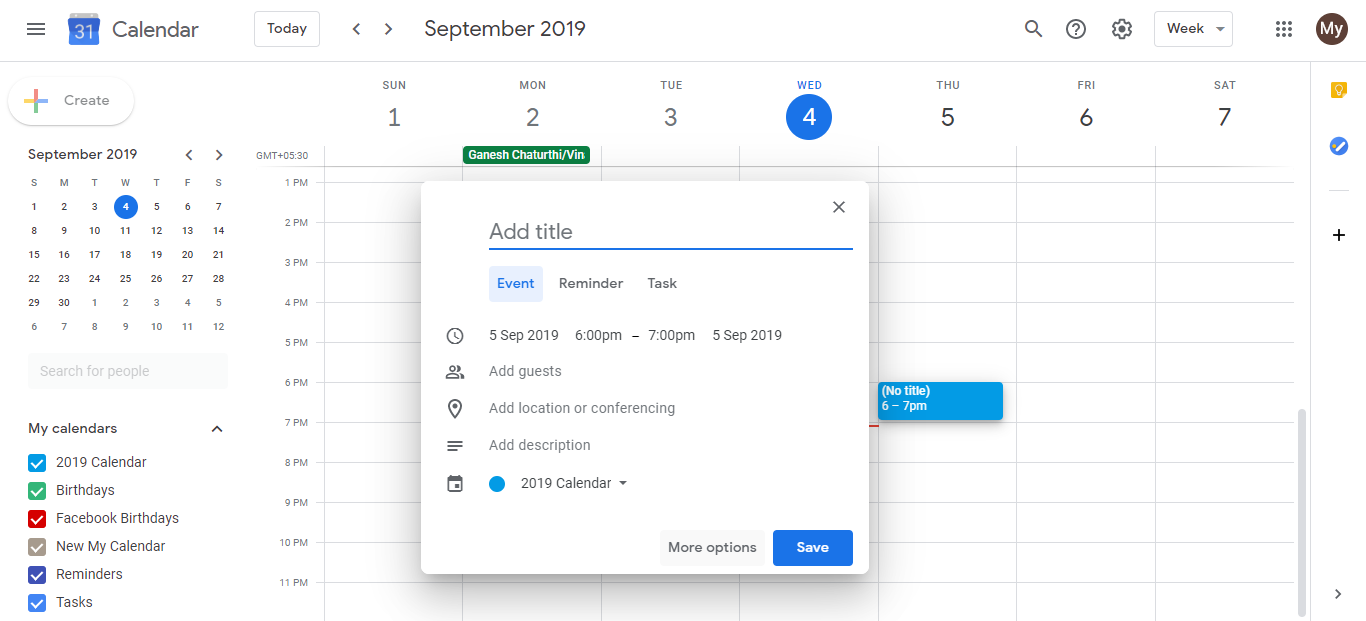
Click More options to open the full event editor.
Set the date to any weekday you want the event to start (e.g., a Monday).
Set the time for when the event should occur (e.g., 9:00 AM).
Scroll down to the Does not repeat dropdown and click it.
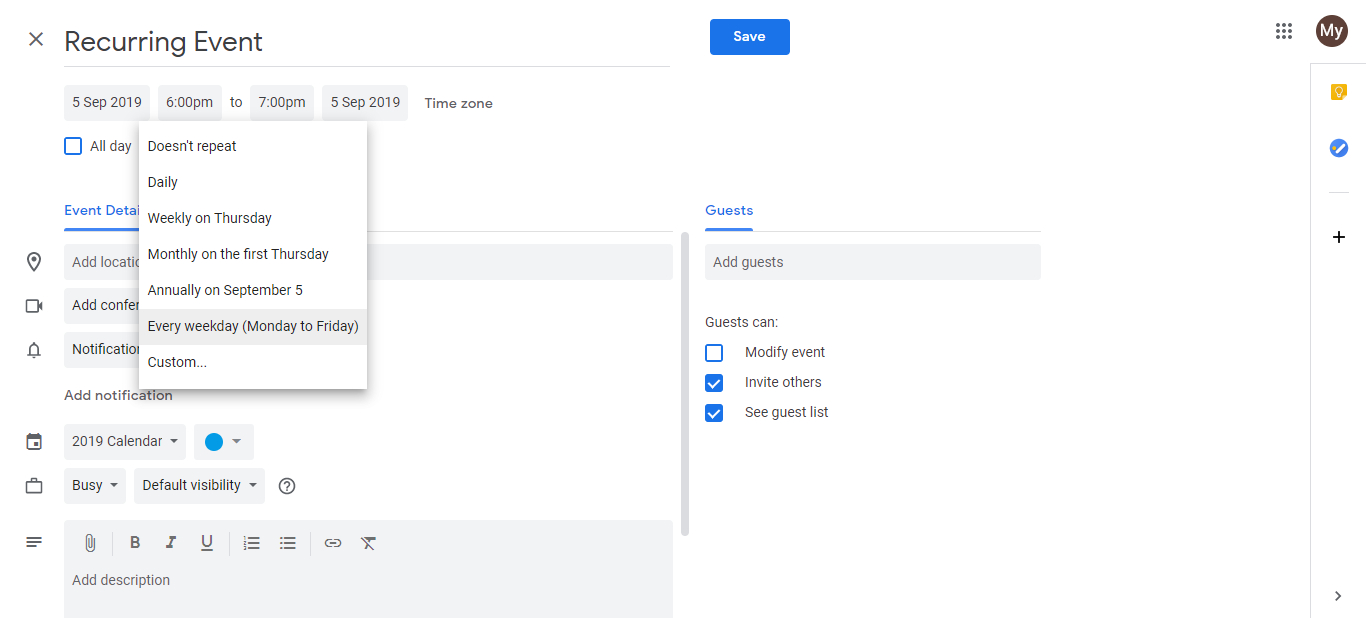
- Select Every Weekday (Monday to Friday) from the options.
This preset tells Google Calendar: “Repeat this event every weekday indefinitely, skipping Saturday and Sunday.”
Optional: Set an end date. If you want the event to stop repeating after a certain date or after a number of occurrences, scroll down and set the Ends option. Leave it blank if the event should repeat forever.
Set reminders if you want notifications before the event (e.g., 15 minutes before).
Click Save.
The event will now appear on your calendar on every Monday, Tuesday, Wednesday, Thursday, and Friday, automatically skipping weekends.
Visual example on your calendar:
- Monday: Event appears
- Tuesday: Event appears
- Wednesday: Event appears
- Thursday: Event appears
- Friday: Event appears
- Saturday: No event
- Sunday: No event
- Monday (next week): Event appears again
What “Every Weekday” includes:
- Monday, Tuesday, Wednesday, Thursday, Friday: Events fire every single one of these days, every week, indefinitely (unless you set an end date).
- Saturday, Sunday: Skipped automatically.
Customizing weekday recurrence:
If you want something different (e.g., only Monday and Wednesday, or every other weekday), use the Custom recurrence option instead:
In the “Does not repeat” dropdown, select Custom.
Choose Weekly as the recurrence type.
Check only the days you want (e.g., Monday and Wednesday).
Click Done.
This gives you granular control over which specific days the event repeats.