How to add a recurring event with random dates in google calendar?
The title mentions “random dates,” but Google Calendar does not support true random scheduling. What it does support is custom recurrence patterns with fixed intervals and day selections. You can create recurring events on specific dates, day patterns, or intervals.
Understanding the difference:
- Random dates: Unpredictable, non-repeating schedule (e.g., “remind me on random days”). Google Calendar does NOT support this.
- Custom dates: Fixed but irregular pattern (e.g., “every 1st and 15th of the month” or “every other Tuesday”). Google Calendar DOES support this.
How to create events with custom recurrence patterns:
Example 1: Event on the 1st and 15th of every month
You cannot create a single recurring event that fires on both the 1st and 15th. Instead, create two separate events:
Create Event A: “Meeting”
- Set date to the 1st of the month
- Set recurrence to Custom > Monthly > On the 1st
Create Event B: “Meeting”
- Set date to the 15th of the month
- Set recurrence to Custom > Monthly > On the 15th
Result: The event fires on both dates each month.
Example 2: Event every 3 weeks on a specific day
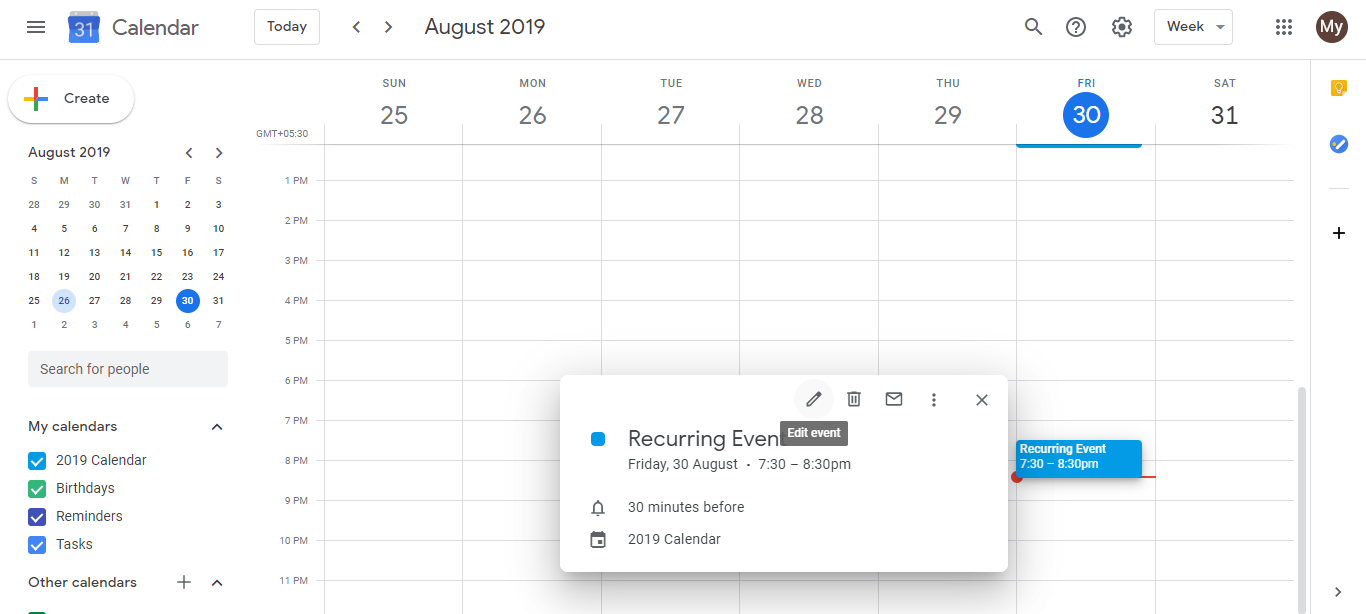
Open Google Calendar and click Create.
Click More options to open the full event editor.
Set the event title, date, and time.
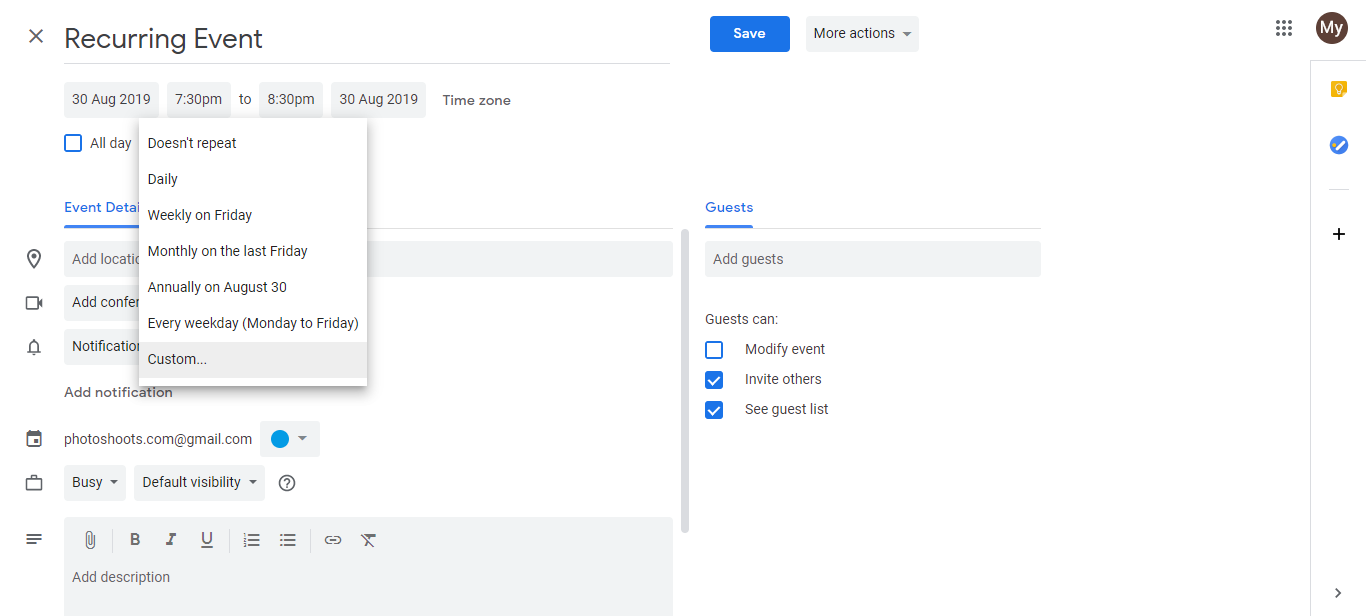
- Click the Does not repeat dropdown and select Custom.
- In the Custom recurrence dialog, set:
- Repeat every: 3 (for every 3 weeks)
- Recurrence type: Weekly
- On: Select the day of the week you want (e.g., Tuesday)
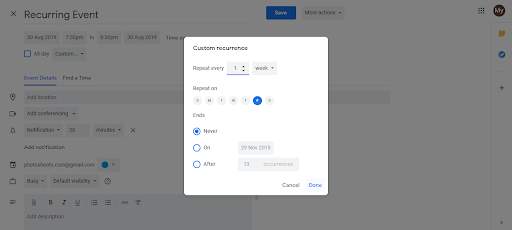
Set an optional end date or leave blank for indefinite recurrence.
Click Done, then Save.
Understanding the Custom recurrence dialog:
The Custom dialog shows several options:
- Repeat every [N] [days/weeks/months/years]: Controls the interval. “Every 2 weeks” = every other week. “Every 3 months” = quarterly.
- On [day]: (for weekly recurrence) Choose which day(s) of the week (Monday, Tuesday, etc.).
- On the [1st/2nd/3rd/last] [day]: (for monthly recurrence) Choose the first Monday, last Friday, etc. of the month.
- Ends: (optional) Set when the recurrence stops: on a specific date or after N occurrences.
Common custom patterns:
- Bi-weekly on Mondays: Every 2 weeks, on Monday
- Monthly on the last day: Every 1 month, on the last day
- Quarterly on the 1st: Every 3 months, on the 1st
- Every other Friday: Every 2 weeks, on Friday
- First Monday of every month: Every 1 month, on the first Monday
Important: This is NOT random
All of these patterns are predictable: you know in advance when the event will occur. True random scheduling (where you don’t know when the next occurrence is) is not supported by Google Calendar.