How to put someone’s birthday on Google calendar without editing it every year?
You have two methods to track birthdays without recreating them yearly. Choose based on your workflow:
- Google Contacts method: For anyone already in your contacts. Birthdays sync automatically to the Birthdays calendar. Simple and zero maintenance.
- Manual event method: For more control over individual reminders, or for people not in your Contacts list. You create one yearly event and it repeats forever.
Both methods eliminate the need to recreate the event every year.
Method 1: Add birthdays to Google Contacts (simplest)
Visit contacts.google.com and open or create a contact.
Scroll down to the Birthday field and click it.
Enter the month and day. The year is optional: include it if you want Google Calendar to show the person’s age (“John turns 30”). Omit it if you prefer to see just the date without age tracking.
Click Save. The birthday automatically appears in your Google Calendar under the Birthdays calendar.
Method 2: Manually create a birthday event (more control per person)
This method is useful if you want to customize the reminder for specific people or add birthdays for people not in your Contacts.
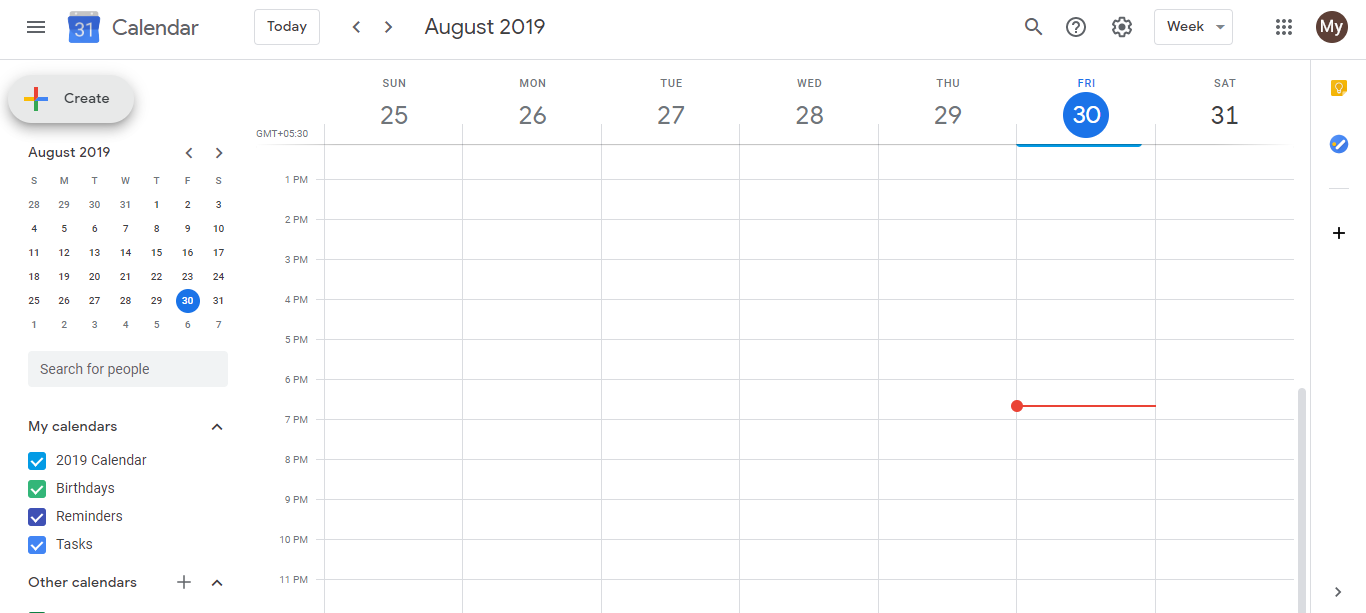
- Go to calendar.google.com and click Create (+ icon) in the top left.
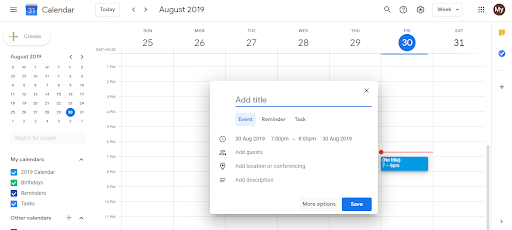
Click More options to open the full event editor where you can set recurrence.
Enter the person’s name and the birthday date.
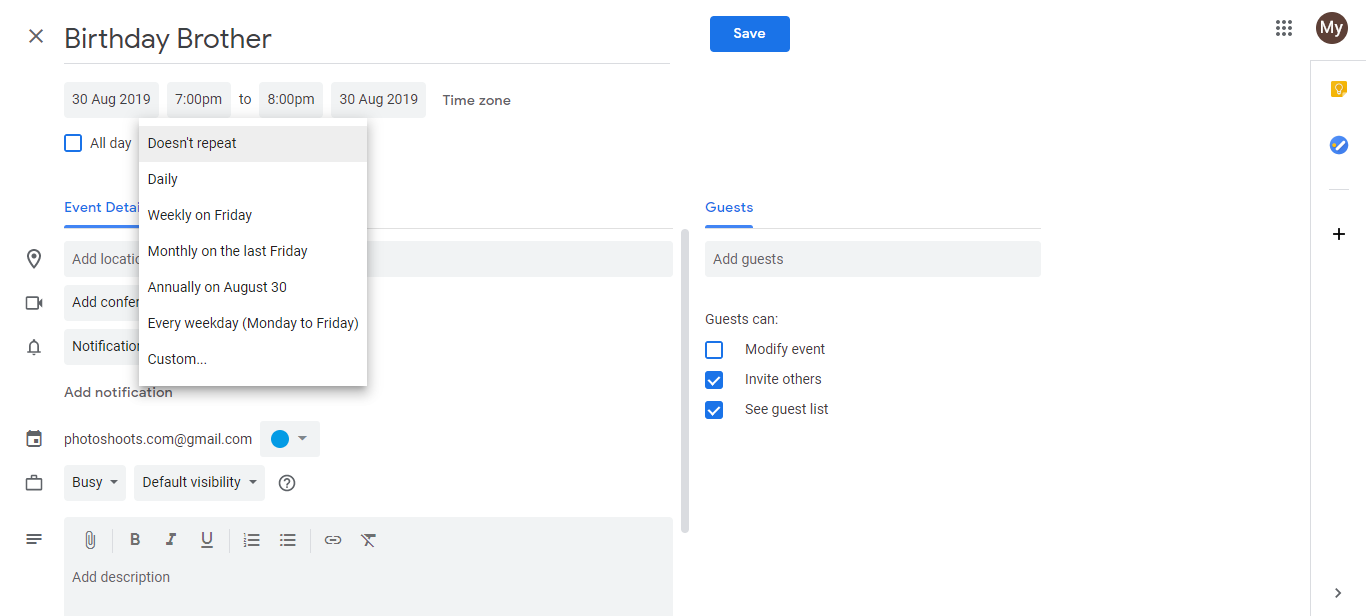
- Click the Does not repeat dropdown and select Yearly. This ensures the event recurs every year on that date.
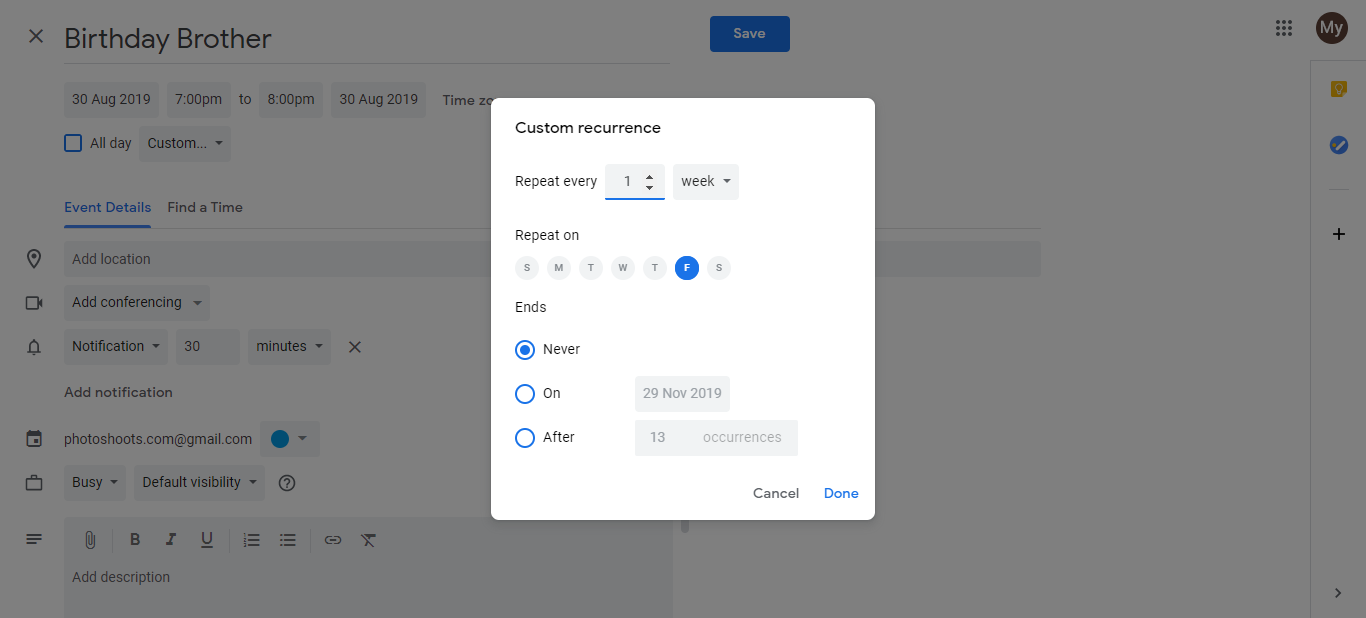
Set the reminder notification. Click the Notifications section and choose when to be alerted. Setting the reminder for the day before gives you a morning notification, giving you time to send a message or make a call before the day arrives. You can set different reminder times for different people this way (urgent contacts get a week’s notice, others get a day’s notice).
Click Save.
The birthday will now appear on your calendar every year on that date. The reminder fires at your chosen time so you never miss it.