How to sync EPL fixtures with Google calendar?
Google discontinued its built-in Premier League team calendars, but you can still add your favorite team’s fixtures using a third-party iCal feed. This keeps you updated on match days without switching between apps.
How to find an EPL team iCal feed:
You have several options:
- Footystats.org or SoccerWay.com: search for your team and look for a calendar export or .ics link.
- Livescore.com: team pages often have an “Add to calendar” option that provides an iCal URL.
- Community feeds on GitHub: search for your team name plus “.ics” or “calendar”. Many developers maintain updated feeds.
- Official Premier League or team website: some team pages have a Subscribe link under their Fixtures section.
How to add the feed to Google Calendar:
Copy the EPL team iCal feed URL (it ends in
.ics).Open Google Calendar and click the Settings gear icon in the top right corner.
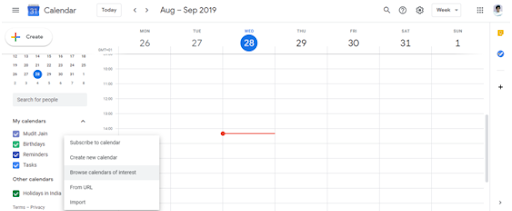
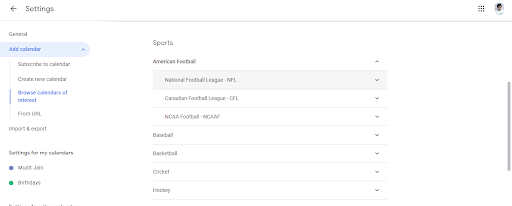
In the left sidebar, click Add calendar and select From URL.
Paste the iCal link into the URL field and click Add calendar. Your team’s fixtures will appear in your Other calendars section.
All upcoming matches will display with kick-off times, dates, and venues (depending on the feed source).
Click the eye icon next to the calendar to hide or show it. Click the three-dot menu to customize the color or set notifications for upcoming matches.
About EPL season schedules:
The Premier League publishes full fixture lists around June or July each year. The schedule includes kick-off times (which are confirmed closer to the season start) and is updated when matches are postponed or rescheduled. Most iCal feeds pull from official data and update automatically.
Note: About third-party feeds
Third-party feeds are maintained by volunteers or services. If a feed becomes inactive, you will need to find another source and re-add the new URL.