How to see Moon phases in Google Calendar?
Google discontinued its built-in moon phase calendar, but you can still track lunar phases using a third-party iCal feed. This is useful if you’re planning outdoor events, interested in astronomy, or tracking lunar cycles for any reason.
What lunar phases appear:
A complete moon phase calendar shows four distinct phases: new moon, first quarter (waxing half moon), full moon, and last quarter (waning half moon). Each appears as an all-day event on your calendar on the date it occurs.
How to find a moon phases iCal feed:
You have several reliable options:
- Timeanddate.com: search for “moon phases” and look for a calendar export or subscription link. This site is very reliable and well-maintained.
- Mooncal.org: provides moon phase calendars in iCal format.
- GitHub: search for “moon phases .ics” or “lunar calendar” to find community-maintained feeds.
- Astronomy or weather services: many astronomy websites provide downloadable moon phase calendars.
How to add the moon phases to Google Calendar:
Copy the moon phases iCal feed URL (it ends in
.ics).Open Google Calendar and click the Settings gear icon in the top right corner.
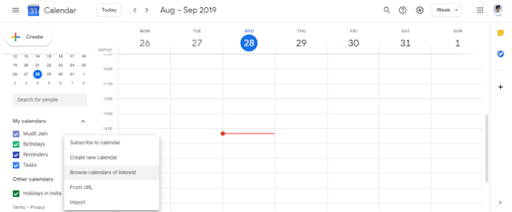
In the left sidebar, click Add calendar and select From URL.
Paste the moon phase calendar URL into the URL field and click Add calendar. The lunar calendar will appear in your Other calendars section.
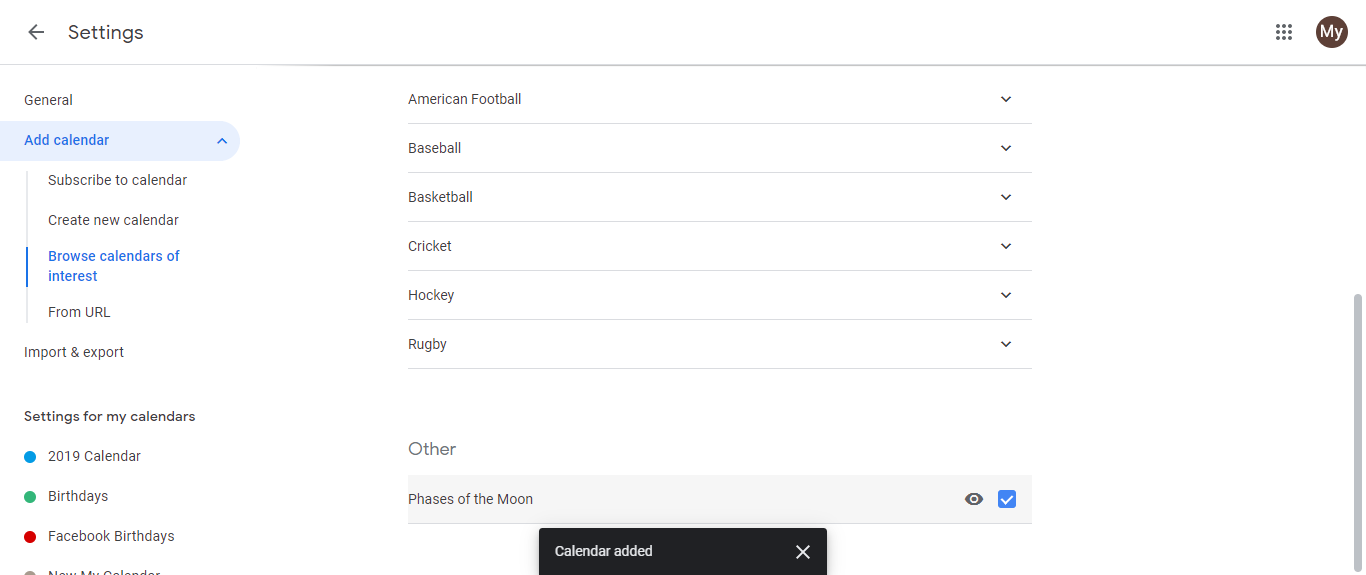
All lunar phases will display on your calendar as all-day events. New moon, first quarter, full moon, and last quarter each appear on their astronomical dates.
Click the eye icon next to the calendar to hide or show it anytime.
Why track moon phases:
Some people track lunar cycles for planning outdoor photography, gardening, or events. Others are interested in astronomy or lunar lore. Having it in your Google Calendar means you can reference it without switching apps.